Personal advice
Not sure which version is right? We help private and business customers.

Our advice team
Phone Mon–Fri 9 am to 2 pm, email daily 9 am to 9 pm
- Item number: LI-802801
- Devices: 1 PC
- Licence term: Permanently valid
- Language: All languages
- Country zone: Worldwide
- Shipping method: E-Mail
- Manufacturer: Microsoft

What's Included
- Instant delivery – Key & download via email
- Exchange possible as long as the key has not been redeemed
- Guide to installation and activation
- Invoice with VAT shown
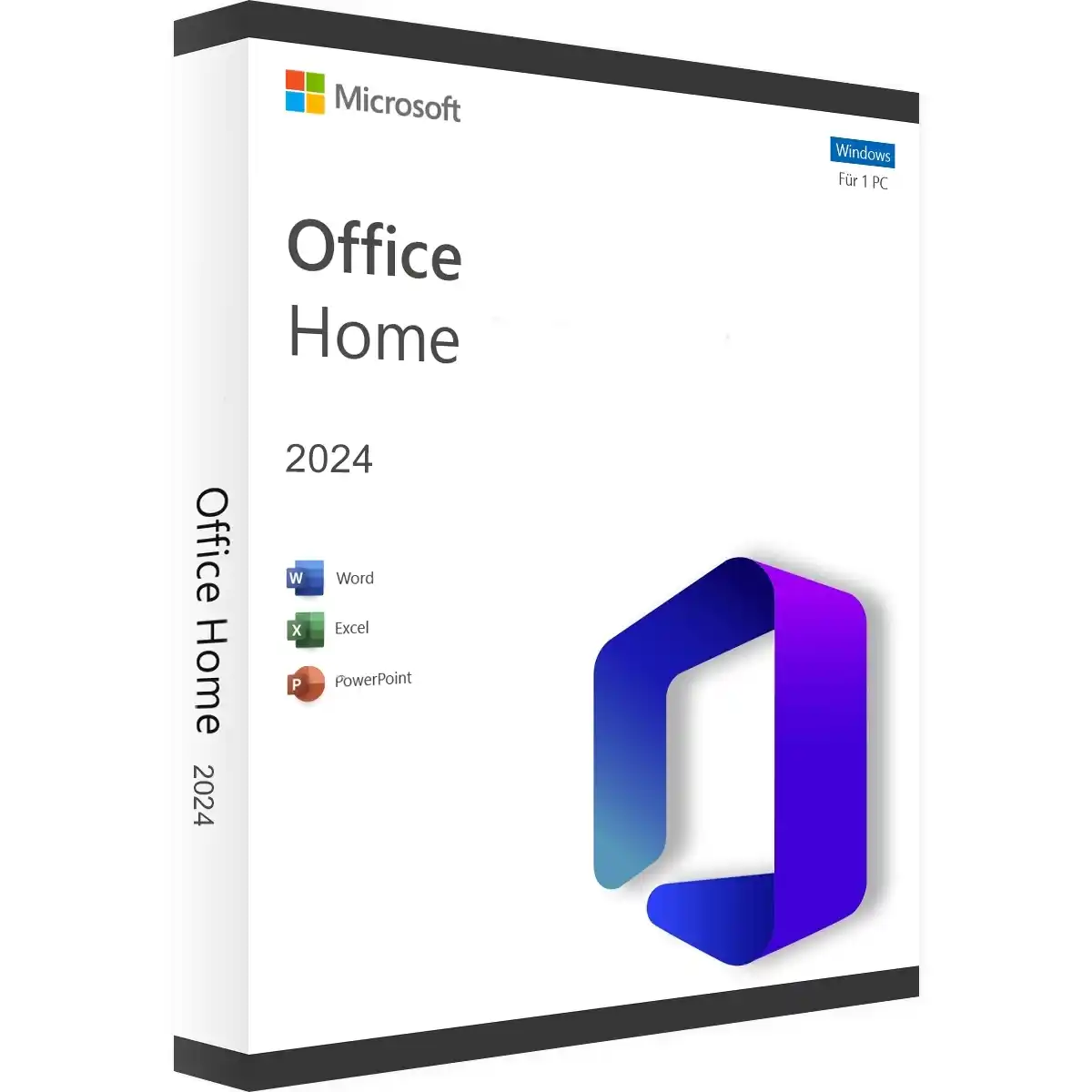
Microsoft Office 2024 Home for Windows
Office Home 2024 is the classic Office suite for the home: for letters to authorities and landlords, the household budget, school presentations, job applications and the slideshow from your last holiday. You pay once and use the programs permanently afterwards, with no subscription and no monthly costs.
Office Home 2024 is the successor to Office Home & Student 2021 and is intended for private, non-commercial use. If you also use Office for work or need Outlook, Office 2024 Home & Business is the right edition.
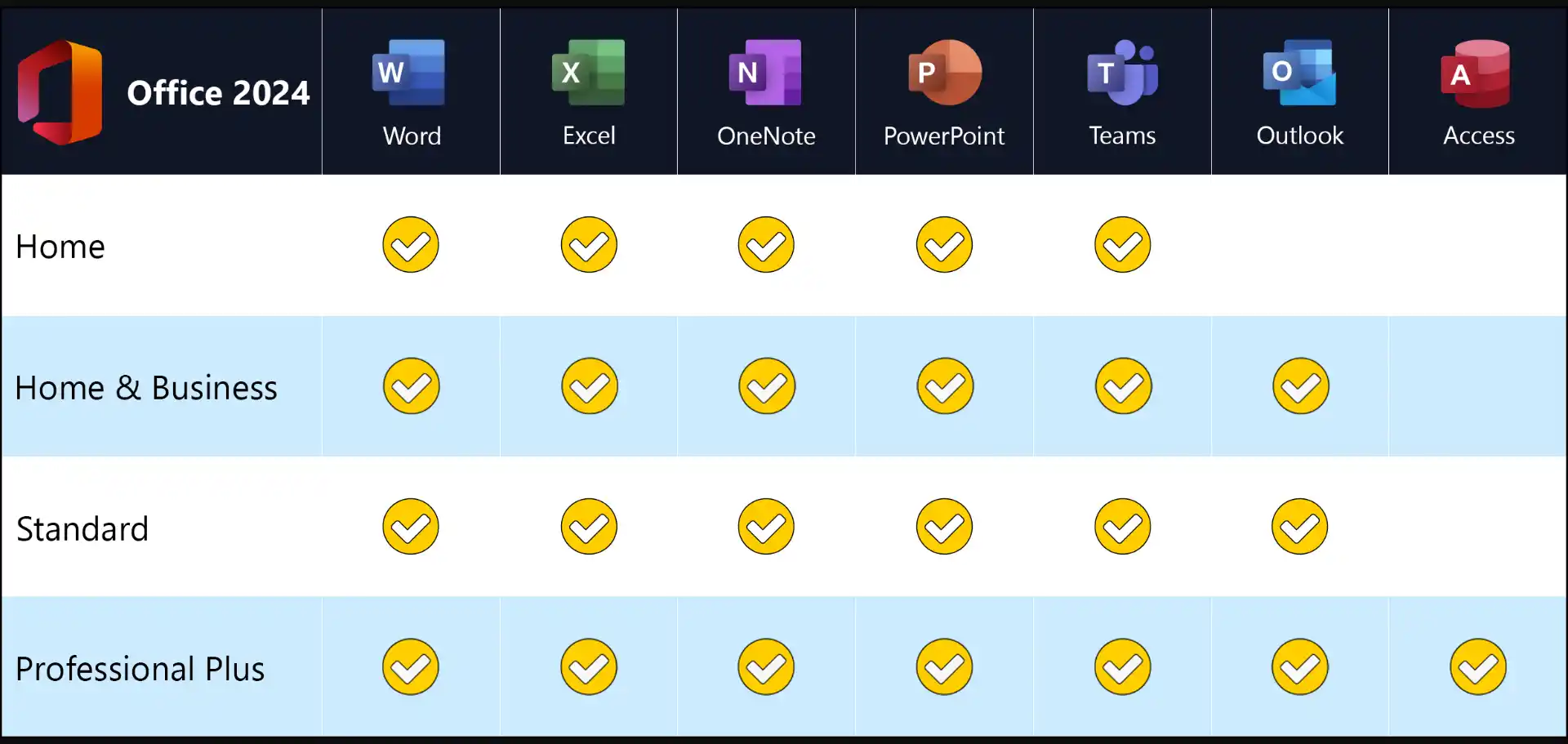
These programs are included
- Word 2024 – word processing for letters, CVs, essays and longer documents with a table of contents
- Excel 2024 – spreadsheets for household budgets, utility bills, lists and charts
- PowerPoint 2024 – presentations for school, university, clubs or family celebrations
- OneNote – digital notebook for notes, shopping lists and ideas
Outlook, Access and Publisher are not included. Outlook is also available separately as Outlook 2024.
What is new in Office 2024?
- Excel: dynamic charts that automatically adapt to array formulas, new text functions such as TEXTSPLIT, TEXTBEFORE and TEXTAFTER, and the IMAGE function for inserting pictures directly into cells
- PowerPoint: Cameo embeds your live camera feed in the slide, and the Recording Studio makes video presentations with subtitles easier
- all programs: support for OpenDocument format 1.4, a revised accessibility checker and a design in the style of Windows 11
Who is Office Home 2024 for?
- for households that want to use Office permanently on a Windows PC
- for pupils and students who create essays, spreadsheets and presentations
- for anyone who does not want a subscription and prefers to store their files on their own computer
Office 2024 or Microsoft 365?
Microsoft 365 is a subscription: you pay every year and continuously receive new features and cloud storage. Office 2024 is a one-time purchase. The programs stay at their 2024 feature level but continue to receive security updates. If you use Office for several years, the perpetual licence is usually much cheaper. You will find all editions at a glance in the category Microsoft Office 2024.
Which Office 2024 edition is right for you?
| Office Home 2024 | Word, Excel, PowerPoint, OneNote – private use |
| Office Home & Business 2024 | additionally Outlook, commercial use permitted |
| Standalone programs | Word 2024, Excel 2024 or Outlook 2024 separately |
System requirements
- Operating system: Windows 11 or Windows 10 – for a new computer, Windows 11 Pro is a good match
- Processor: 1.1 GHz or faster, at least 2 cores
- Memory: 4 GB RAM
- Hard disk: 4 GB of free space
- Display: resolution of 1280 × 768 or higher (use the 64-bit version for 4K)
- Graphics: DirectX 9.1 or later with WDDM 1.3 driver for hardware acceleration
- Internet: required for download, activation and updates
- Other: some features require .NET 3.5 or 4.6 or later
Installation and activation
- Have the product key and download link from our e-mail ready.
- Download Office using the download link and start the setup. Uninstall older Office versions and trial versions beforehand.
- Open an Office program, for example Word, and enter the product key when prompted.
- Done: the licence is permanently activated, without a Microsoft account. Step-by-step instructions are included with the delivery.
Frequently asked questions about Office Home 2024
Do I need a Microsoft account?
No. You activate this edition directly with the product key; a Microsoft account is not required. If you prefer to link the licence to your Microsoft account, choose the “account-bound” edition.
Is this a subscription?
No. It is a perpetual licence. You pay once and can use Office 2024 without time limit.
On how many devices may I install Office?
The licence applies to one Windows PC. For a second computer you need another licence.
Can I transfer Office to a new PC?
Yes. Uninstall Office on the old computer and install it on the new one. If activation causes any difficulty, we will help you.
Is Office Home 2024 also available for Mac?
This licence is for Windows. You will find the right versions for Apple computers under Office 2024 for Mac.
In which language will I receive Office?
Office 2024 is available in all languages. You select the language you want when downloading.
Delivery, invoice and support
- Delivery by e-mail: you will usually receive the product key, download link and installation guide within 5 to 30 minutes of payment (daily 09:00–21:00 CET). More under Shipping & payment.
- Invoice: every order comes with a proper invoice, with your company address on request.
- Origin of the licence: we source our licences from distributors and wholesalers in Europe. We explain exactly how this works on the page Buying legal software.
- Support: if you have questions about installation or activation, we help by e-mail (Mon–Sun 09:00–21:00 CET), phone (Mon–Fri 09:00–14:00 CET), live chat or remote support with TeamViewer.
Our goodwill promise
Should the ordered Office version ever no longer be available, we will supply the next higher version at no extra charge, for example Home & Business instead of Home. You never pay more than the price at which you ordered.