Personal advice
Not sure which version is right? We help private and business customers.
Our advice team
Phone Mon–Fri 9 am to 2 pm, email daily 9 am to 9 pm
- Item number: LI-800385
- Devices: 1 PC
- Licence term: Permanently valid
- Language: All languages
- Country zone: Worldwide
- Shipping method: E-Mail
- Manufacturer: Microsoft
What's Included
- Instant delivery – Key & download via email
- Exchange possible as long as the key has not been redeemed
- Guide to installation and activation
- Invoice with VAT shown
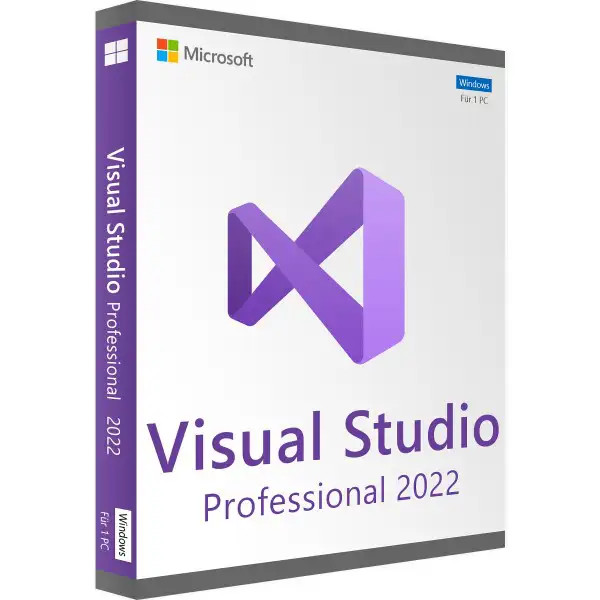
Microsoft Visual Studio 2022 Professional – development environment as a perpetual licence

Visual Studio 2022 Professional is Microsoft's development environment for desktop, web, cloud and mobile applications. You write, test and debug C#, Visual Basic, C++, JavaScript, TypeScript and Python in one interface – with IntelliSense, refactoring, integrated Git management and one of the best debuggers on the market. The Professional edition is aimed at professional developers and small teams who create commercial software.
You receive a perpetual licence with a product key – buy once, no subscription. You enter the key directly in Visual Studio.
The key facts at a glance
- Perpetual licence Visual Studio 2022 Professional with product key, no subscription
- Licence for one developer
- For commercial software development without restrictions
- C#, VB.NET, C++, JavaScript, TypeScript, Python and more
- CodeLens, debugger, profiler and Git integration
- Product key and download by e-mail, with invoice
Who is Visual Studio 2022 Professional for?
- Freelance developers and small software companies
- IT departments that maintain internal applications
- Developers of specialist applications with .NET and SQL Server
- Teams that may not use the Community edition for licensing reasons
New in Visual Studio 2022
- 64-bit development environment – even very large solutions run smoothly
- Hot Reload: apply code changes without restarting the application
- IntelliCode completes entire lines of code
- Support for .NET 6 to .NET 8 and C++20
- Integrated Git management with multiple repositories
Why Visual Studio 2022?
Visual Studio 2022 is the first 64-bit version of the IDE. Large solutions with many projects load faster and no longer hit the memory limit of earlier versions.
Professional or Enterprise?
| Professional | complete IDE, CodeLens, debugger, profiler, Git – for individual developers and small teams |
| Enterprise | additionally IntelliTrace, IntelliTest, Microsoft Fakes and architecture tools, Live Unit Testing |
| Community | free, but only for individuals, open source and very small companies |
| Licence | both editions available from us as a perpetual licence with product key |
You will find all editions in the category Visual Studio 2022. For database applications, SQL Server is a good fit.
Typical scenarios
- Desktop applications with WinForms or WPF for specialist departments
- Web applications and APIs with ASP.NET
- Maintenance and further development of existing .NET projects
- C++ applications, drivers and tools
- Database applications based on SQL Server
An example from practice
A software company maintains an inventory management system based on .NET and SQL Server. A developer opens the solution, uses CodeLens to find everywhere a method is used, changes it and checks the result step by step with the debugger. Via the Git integration, the change then goes into the shared code, where colleagues review it.
System requirements
- Operating system: Windows 10 (from version 1909), Windows 11 or Windows Server 2016 and later (64-bit)
- Processor: 64-bit processor (x64 or ARM64), 4 cores recommended
- Memory: at least 4 GB, 16 GB recommended
- Hard disk: 1 to 50 GB depending on workloads, SSD recommended
- Screen: resolution from 1366 × 768, Full HD recommended
Installation and activation
- Download the installer via the link in our e-mail.
- Select the workloads you need, such as .NET desktop or web development, and start the installation.
- In Visual Studio, open the account settings or product registration window.
- Choose “Licence with a product key” and enter the key supplied.
Frequently asked questions about Visual Studio 2022 Professional
Is this a subscription?
No. You receive a perpetual licence with a product key and only pay once.
Do I need a Microsoft account?
Not for activation with the product key. An account is only needed if you want to use services such as Live Share or settings synchronisation.
May I develop commercial software with it?
Yes. With Visual Studio 2022 Professional you may develop software for sale and for customers.
Is there Visual Studio for Mac?
This licence applies to Visual Studio on Windows. For cross-platform projects, however, you can develop applications for Linux, macOS and mobile devices.
Can I exchange the licence?
Yes, as long as the product key has not yet been redeemed or activated. Simply send us an e-mail.
Will I receive an invoice?
Yes, with VAT shown, with your company address on request.
Delivery, invoice and support
- Delivery by e-mail: you will usually receive the product key, download link and installation guide within 5 to 30 minutes of payment (daily 09:00–21:00 CET). More under Shipping & payment.
- Invoice: every order comes with a proper invoice, with your company address on request.
- Origin of the licence: we source our licences from distributors and wholesalers in Europe. We explain exactly how this works on the page Buying legal software.
- Support: if you have questions about installation or activation, we help by e-mail (Mon–Sun 09:00–21:00 CET), phone (Mon–Fri 09:00–14:00 CET), live chat or remote support with TeamViewer.
Our goodwill promise
If the Visual Studio version you ordered is ever no longer available, we will supply the next higher version or edition at no extra charge. You never pay more than the price at which you ordered.