Personal advice
Not sure which version is right? We help private and business customers.

Our advice team
Phone Mon–Fri 9 am to 2 pm, email daily 9 am to 9 pm
- Item number: LI-802824
- Devices: 1 PC
- Licence term: Permanently valid
- Language: All languages
- Country zone: Worldwide
- Shipping method: E-Mail
- Manufacturer: Microsoft

What's Included
- Instant delivery – Key & download via email
- Exchange possible as long as the key has not been redeemed
- Guide to installation and activation
- Invoice with VAT shown
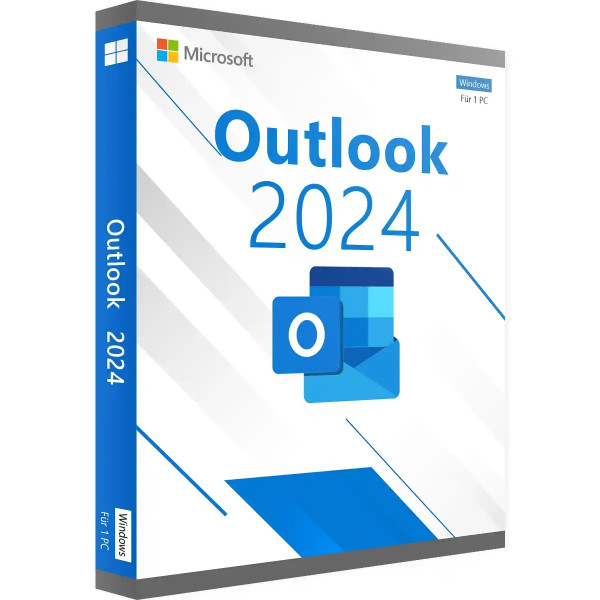
Microsoft Outlook 2024 for Windows
You don't need a complete Office suite, just a reliable e-mail program? Then Outlook 2024 as a single licence is the right choice. Outlook combines e-mail, calendar, contacts and tasks in one interface and is the program that many companies and self-employed people open first thing in the morning.
You buy Outlook 2024 once and use it permanently, without a subscription. The single licence is particularly suitable if Word and Excel are already installed on the computer or you handle word processing differently.
What Outlook 2024 can do
- E-mail: manage several accounts (Exchange, Microsoft 365, Gmail, IMAP, POP3) in one inbox
- Calendar: plan appointments, schedule meetings with participants, share calendars and display them side by side
- Contacts: address book with companies, phone numbers and notes
- Tasks: reminders and to-dos, also created directly from e-mails
- Rules and folders: sort incoming e-mails automatically
- Offline work: read and write e-mails even without internet; synchronisation follows later
New in Outlook 2024
Outlook 2024 brings faster search, a revised calendar view and improved accessibility. The interface is adapted to the design of Windows 11.
Single licence or Office suite?
If you need Word, Excel and PowerPoint in addition to Outlook, Office 2024 Home & Business is usually cheaper than several standalone programs. You will find older Outlook versions and the Mac edition in the category Microsoft Outlook.
System requirements
- Operating system: Windows 11 or Windows 10 – for a new computer, Windows 11 Pro is a good match
- Processor: 1.1 GHz or faster, at least 2 cores
- Memory: 4 GB RAM
- Hard disk: 4 GB of free space
- Display: resolution of 1280 × 768 or higher (use the 64-bit version for 4K)
- Graphics: DirectX 9.1 or later with WDDM 1.3 driver for hardware acceleration
- Internet: required for download, activation and updates
- Other: some features require .NET 3.5 or 4.6 or later
Installation and activation
- Have the product key and download link from our e-mail ready.
- Download Office using the download link and start the setup. Uninstall older Office versions and trial versions beforehand.
- Open an Office program, i.e. Outlook, and enter the product key when prompted.
- Done: the licence is permanently activated, without a Microsoft account. Step-by-step instructions are included with the delivery.
Frequently asked questions about Outlook 2024
Do I need a Microsoft account?
No. You activate this edition directly with the product key; a Microsoft account is not required. If you prefer to link the licence to your Microsoft account, choose the “account-bound” edition.
Is Outlook 2024 a subscription?
No. You buy a perpetual licence and use Outlook without any time limit.
Can I use Outlook 2024 for business purposes?
Yes, the single licence of Outlook 2024 may also be used professionally.
Will Outlook take over my old e-mails?
Yes. You simply set up existing mailboxes again. Data from older Outlook versions (PST files) can be imported.
Does Outlook 2024 run alongside another Office version?
In principle yes, if both are installed with the same technology (Click-to-Run). If in doubt, we will help with the setup.
Is Outlook 2024 also available for Mac?
This licence is for Windows. You will find Mac versions under Microsoft Outlook for Mac.
Delivery, invoice and support
- Delivery by e-mail: you will usually receive the product key, download link and installation guide within 5 to 30 minutes of payment (daily 09:00–21:00 CET). More under Shipping & payment.
- Invoice: every order comes with a proper invoice, with your company address on request.
- Origin of the licence: we source our licences from distributors and wholesalers in Europe. We explain exactly how this works on the page Buying legal software.
- Support: if you have questions about installation or activation, we help by e-mail (Mon–Sun 09:00–21:00 CET), phone (Mon–Fri 09:00–14:00 CET), live chat or remote support with TeamViewer.
Our goodwill promise
Should the ordered Outlook version ever no longer be available, we will supply the next higher version at no extra charge. You never pay more than the price at which you ordered.