Welcome to Lizenzindustrie!

Subscribe to our free newsletter and get 10% off your next order (minimum order value €10). That way you won't miss any of our offers.

Please enter a valid email address.

  Personal advice: +971 50 485 8908

  Licence by email, no shipping costs

  Invoice with VAT shown

  14 days free exchange

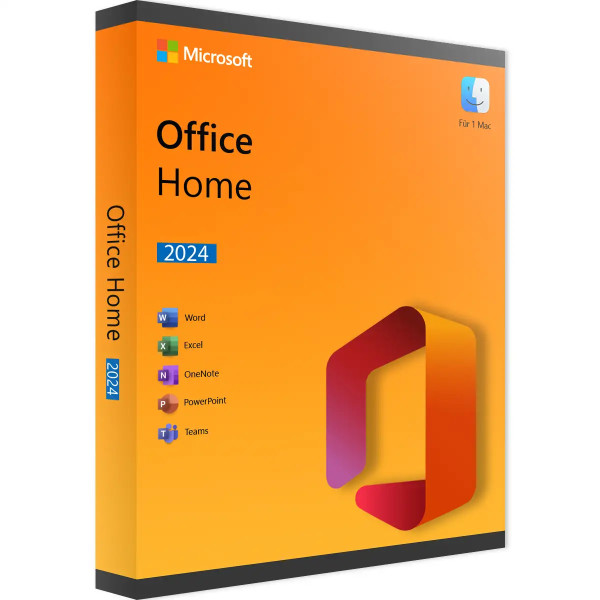
Microsoft Office 2024 Home | Mac

Microsoft Office 2024 Home | Mac
Personal advice

Not sure which version is right? We help private and business customers.


berater-bild

Our advice team


Phone Mon–Fri 9 am to 2 pm, email daily 9 am to 9 pm

€89.90 * €149.00 * (39.66% Saved)

Prices incl. VAT Free shipping

Instant download + product key

  • LI-802802
  • 1 Mac
  • Permanently valid
  • All languages
  • Worldwide
  • E-Mail
  • Microsoft
  • Kreditkarte Rechnung Apple Pay Google Pay

What's Included

  • Instant delivery – Key & download via email
  • Exchange possible as long as the key has not been redeemed
  • Guide to installation and activation
  • Invoice with VAT shown
Office Home 2024 for Mac – Word, Excel and PowerPoint permanently on your Mac Office Home 2024... more
Product information "Microsoft Office 2024 Home | Mac"

Office Home 2024 for Mac – Word, Excel and PowerPoint permanently on your Mac

Office Home 2024 for Mac brings the three classics Word, Excel and PowerPoint plus OneNote to your MacBook, iMac or Mac mini – as a one-time purchase without subscription. The programs are natively optimised for Apple silicon and also run on Intel Macs.

This edition is intended for private use: schoolwork, household planning, job applications or the presentation for your club. You activate Office with the product key; no Microsoft account is needed.

Who is this edition for?

  • Home users with a MacBook, iMac or Mac mini
  • Pupils and students
  • Families who want Office without ongoing costs

Included programs

  • Word 2024 for texts and documents
  • Excel 2024 for spreadsheets and calculations
  • PowerPoint 2024 for presentations
  • OneNote for notes

New in Office 2024 for Mac

  • Revised interface that matches the current macOS design
  • Excel with dynamic arrays and functions such as XLOOKUP, TEXTSPLIT, TEXTBEFORE and TEXTAFTER
  • Improved accessibility and read-aloud features in Word
  • Optimised for Apple silicon: fast start-up and low energy consumption
  • Files remain fully compatible with Office for Windows

Office 2024 for Mac compared

Home (this item)Word, Excel, PowerPoint, OneNote – private
Home & Business for Macadditionally Outlook, for commercial use
Home for Mac (account-bound)licence in your Microsoft account

You will find Office for Windows under Microsoft Office 2024.

Perpetual licence or subscription on the Mac?

On the Mac, too, you can choose between Microsoft 365 as a subscription and Office 2024 as a one-time purchase. The subscription brings new features and cloud storage on an ongoing basis but costs money again every year. You pay for Office 2024 for Mac once and use it permanently; Microsoft AutoUpdate continues to install security and quality updates automatically.

If you already store your files in iCloud Drive, Dropbox or on a NAS, you usually do not need the cloud extras of the subscription. In that case the perpetual licence is the cheaper and more predictable solution – especially when equipping several Macs at home or in the office.

Mac and Windows in the same team

Office 2024 for Mac uses the same file formats as the Windows version. Your colleagues on Windows PCs can open a quote from Word, a calculation from Excel or a presentation from PowerPoint without conversion, and fonts and layout are preserved. Comments and track changes also work across platforms.

Keyboard shortcuts differ slightly: where Windows uses the Ctrl key, the Mac usually uses the Command key (⌘). Otherwise, menus and the ribbon are largely identical, so switchers quickly find their way around.

Practical on the go

On a MacBook, Word, Excel and PowerPoint also work without an internet connection, for example on the train or in a lecture hall. With AutoSave combined with iCloud Drive or OneDrive, changes are not lost if the battery runs out. If you often send PDF files, you can export documents directly from Word as PDF – no separate program is needed. And thanks to the optimisation for Apple silicon, the programs start quickly and are easy on the battery.

System requirements

  • Operating system: one of the three most recent macOS versions
  • Processor: Apple silicon (M series) or Intel
  • Memory: 4 GB RAM
  • Hard disk: 10 GB of free space (APFS or Mac OS Extended)
  • Display: resolution of 1280 × 800 or higher
  • Internet: required for download, activation and updates

Installation and activation

  1. Download the installation package using the link in our e-mail.
  2. Open the .pkg file and follow the installation.
  3. Start Word, Excel or another program.
  4. Activate Office with the product key supplied – no Microsoft account is needed.

Frequently asked questions

Do I need a Microsoft account?

No. You activate this edition with the product key; a Microsoft account is not required.

Is Access available for Mac?

No. Access is only available for Windows. If you need databases, choose Access 2024 for Windows.

Can I also use the licence on Windows?

No. Office for Mac and Office for Windows are separate products. However, the files are fully interchangeable.

Is Outlook included?

No. Outlook is included in Office 2024 Home & Business for Mac or available separately as Outlook 2024 for Mac.

Delivery, invoice and support

  • Delivery by e-mail: you will usually receive the product key, download link and installation guide for Mac within 5 to 30 minutes of payment (daily 09:00–21:00 CET). More under Shipping & payment.
  • Invoice: every order comes with a proper invoice, with your company address on request.
  • Origin of the licence: we source our licences from distributors and wholesalers in Europe. We explain exactly how this works on the page Buying legal software.
  • Support: if you have questions about installation or activation, we help by e-mail (Mon–Sun 09:00–21:00 CET), phone (Mon–Fri 09:00–14:00 CET), live chat or remote support with TeamViewer.

Our goodwill promise

Should the ordered Office version ever no longer be available, we will supply the next higher version at no extra charge. You never pay more than the price at which you ordered.

Related links to "Microsoft Office 2024 Home | Mac"




