Personal advice
Not sure which version is right? We help private and business customers.
Our advice team
Phone Mon–Fri 9 am to 2 pm, email daily 9 am to 9 pm
- Item number: LI-800101
- Devices: 1 PC
- Licence term: Permanently valid
- Language: All languages
- Country zone: Worldwide
- Shipping method: E-Mail
- Manufacturer: Microsoft
What's Included
- Instant delivery – Key & download via email
- Exchange possible as long as the key has not been redeemed
- Guide to installation and activation
- Invoice with VAT shown
Windows 7 Home Premium – the classic Windows for older PCs

Windows 7 Home Premium is the home edition of Windows 7 with the Aero interface, Windows Media Center and easy HomeGroup. It runs smoothly even on older, less powerful computers.
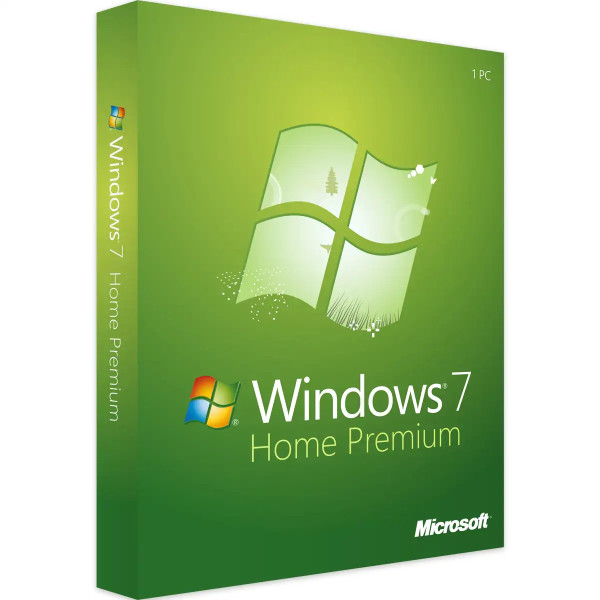
The most important features of Windows 7 Home Premium
- Aero interface with Aero Snap and Aero Peek
- Windows Media Center
- HomeGroup for sharing files and printers
- Jump lists and libraries
- Support for 32 and 64 bit
Who is Windows 7 Home Premium for?
- older PCs and laptops
- games and programs that require Windows 7
- computers without an internet connection
- collectors and retro systems
What makes Windows 7 special
- Classic Start menu and familiar operation
- Aero interface with Aero Snap for arranging windows
- Jump lists for recently used files
- Libraries for documents, pictures and music
- Very low hardware requirements
What Windows 7 is still needed for today
Windows 7 is mainly in demand where older hardware or software requires exactly this system: measuring instruments and machines with their own control software, older games, specialist programs or computers deliberately run without an internet connection. For normal workstations and everything used online, we recommend Windows 11 Pro.
Editions compared
| Windows 7 Home Premium (this item) | for home use |
| Windows 7 Professional | with domain join, Remote Desktop, XP Mode |
| Windows 7 Ultimate | all features incl. BitLocker |
You will find all editions in the category Windows 7.
Well prepared for installation
Before a clean installation, back up your documents, pictures, emails and browser bookmarks to an external drive. Note down the login details and licence keys of your programs. If possible, download your PC’s network drivers in advance – so you are back online immediately after installation. Depending on the computer, a clean installation takes about 20 to 60 minutes.
32 or 64 bit?
On computers with more than 4 GB of memory you should install the 64-bit version so that all the memory is used. The 32-bit version only makes sense for very old computers or special older programs. You select the right variant when creating the installation medium.
After installation
- Install drivers for graphics, chipset, network and printer from the manufacturer’s website
- Set up virus protection
- Create user accounts and use an account without administrator rights for everyday use
- Set up a regular backup
Tips for running older systems
Computers with older Windows versions are safest when run without direct internet access or behind a firewall in your own network. Install only the programs needed for the task in question, and exchange data via checked USB sticks or network drives. Up-to-date virus protection and regular backups are still a must.
System requirements
- Processor: 1 GHz or faster (32 or 64 bit)
- Memory: 1 GB (32-bit) or 2 GB RAM (64-bit)
- Storage: 16 GB (32-bit) or 20 GB (64-bit) of free space
- Graphics: DirectX 9 with WDDM 1.0 driver
- Internet: for activation
Installation and activation
- Download the installation file (ISO) via the link in our email.
- Create a bootable USB stick or a DVD.
- Boot from the installation medium and follow the installation.
- Activate Windows with the product key supplied and install your PC’s drivers.
Frequently asked questions
Can I run the PC offline?
Yes. Many customers use this version on computers without an internet connection, for example on machines or measuring instruments. Activation requires a one-time connection or activation by phone.
How is Windows activated?
With the product key you receive by email after purchase. Our support team will help with any questions about activation.
Will I receive an invoice?
Yes, you receive a proper invoice by e-mail with every order, with your company address on request.
In which language is Windows installed?
You can install Windows in English or in another language of your choice. You select the language when creating the installation medium.
Is the key suitable for a clean installation?
Yes. With the key supplied and the download link you can reinstall Windows or activate an already installed version of the same edition.
Delivery, invoice and support
- Delivery by e-mail: you will usually receive the product key, download link and installation guide within 5 to 30 minutes of payment (daily 09:00–21:00 CET). More under Shipping & payment.
- Invoice: every order comes with a proper invoice, with your company address on request.
- Origin of the licence: we source our licences from distributors and wholesalers in Europe. We explain exactly how this works on the page Buying legal software.
- Support: if you have questions about installation or activation, we help by e-mail (Mon–Sun 09:00–21:00 CET), phone (Mon–Fri 09:00–14:00 CET), live chat or remote support with TeamViewer.
Our goodwill promise
If the Windows version or edition you ordered is ever no longer available, we will supply the next higher version or edition at no extra charge. You never pay more than the price at which you ordered.





