Welcome to Lizenzindustrie!

Subscribe to our free newsletter and get 10% off your next order (minimum order value €10). That way you won't miss any of our offers.

Please enter a valid email address.

  Personal advice: +971 50 485 8908

  Licence by email, no shipping costs

  Invoice with VAT shown

  14 days free exchange

Microsoft Excel 2024 | Mac

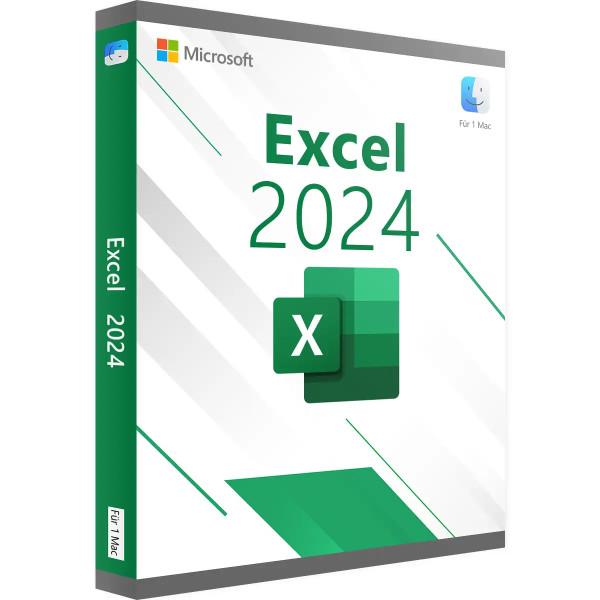
Microsoft Excel 2024 | Mac

Personal advice

Not sure which version is right? We help private and business customers.


berater-bild

Our advice team


Phone Mon–Fri 9 am to 2 pm, email daily 9 am to 9 pm

€59.90 * €99.90 * (40.04% Saved)

Prices incl. VAT Free shipping

Instant download + product key

  • LI-802818
  • New
  • 1 Mac
  • Permanently valid
  • All languages
  • Worldwide
  • E-Mail
  • Microsoft
  • Kreditkarte Rechnung Apple Pay Google Pay

What's Included

  • Instant delivery – Key & download via email
  • Exchange possible as long as the key has not been redeemed
  • Guide to installation and activation
  • Invoice with VAT shown
Microsoft Excel 2024 for Mac – numbers under control Excel 2024 for Mac is the standalone... more
Product information "Microsoft Excel 2024 | Mac"

Microsoft Excel 2024 for Mac – numbers under control

Excel 2024 for Mac is the standalone program for calculations, budgets and data analysis on the Mac. Once purchased, you use it permanently – without monthly costs.

New text functions such as TEXTSPLIT, TEXTBEFORE and TEXTAFTER simplify the preparation of imported data, and PivotTables and charts provide quick overviews.

Typical uses

  • Financial planning and household budget
  • Calculations and preparing quotes
  • Analyses with PivotTables
  • Exchanging data with Windows colleagues

What Excel 2024 for Mac offers

  • Runs natively on Apple silicon and on Intel Macs
  • Interface in the current macOS design
  • Files fully compatible with the Windows version
  • New text functions TEXTSPLIT, TEXTBEFORE, TEXTAFTER

Standalone program or Office suite?

Excel 2024 for Mac (this item)spreadsheets only
Office Home 2024 for MacWord, Excel, PowerPoint, OneNote
Excel 2024 for Windowssame program for Windows PCs

You will find all programs and suites in the category Microsoft Office 2024.

Who is a standalone program worthwhile for?

A complete Office suite is not always necessary. If you work almost exclusively with Excel in everyday life, a standalone program means you only pay for what you really use. This is typical for Mac users who already use Apple programs such as Pages, Numbers or Keynote for other tasks but need a fully compatible Microsoft program for exchanging files with customers, authorities or colleagues.

A standalone program also makes sense as an addition: if you already own an older Office, for example, you can bring the program you use most often up to the 2024 level.

Buy once instead of subscribing

Excel 2024 is a perpetual licence. You pay once and use the program without a term and without annual renewal. Microsoft AutoUpdate continues to install security and quality updates automatically. Compared with a Microsoft 365 subscription, the purchase usually pays for itself after a short time.

Excel on the Mac – tips for getting started

Excel for Mac is fully featured and compatible with the Windows version. These features help you get started:

  • Quick Analysis: select a range and let Excel suggest suitable charts or totals.
  • Dynamic arrays: formulas such as UNIQUE, SORT or FILTER return entire result lists at once.
  • PivotTables: analyse sales, expenses or membership fees in a few clicks.
  • Importing data from Numbers: export Numbers tables as XLSX and continue editing them in Excel.
  • Keyboard shortcuts: ⌘ + T formats a range as a table, ⌘ + Shift + L turns on the filter.

Working with Windows colleagues

Excel 2024 for Mac uses the same file formats as Excel 2024 for Windows: XLSX for normal workbooks, XLSM for files with macros. Formulas, charts, PivotTables and conditional formatting are displayed identically on both systems. Only some Windows-specific extensions such as Power Pivot are not available on the Mac. You import CSV files from online banking or shop systems via “Data” → “From Text/CSV”. For customers without Office, simply export your analysis as PDF.

System requirements

  • Operating system: one of the three most recent macOS versions
  • Processor: Apple silicon (M series) or Intel
  • Memory: 4 GB RAM
  • Hard disk: approx. 10 GB of free space (APFS or Mac OS Extended)
  • Display: resolution of 1280 × 800 or higher
  • Internet: required for download, activation and updates

Installation and activation

  1. Download the installation package (.pkg) using the link in our e-mail.
  2. Open the package and follow the installation.
  3. Start the program and activate it with the product key – without a Microsoft account.

Frequently asked questions

Do macros work?

Yes, VBA macros also run in Excel for Mac; individual Windows-specific commands may differ.

Do I need a Microsoft account?

No, Excel 2024 is activated with the product key.

Is this a subscription?

No. You pay once and use Excel 2024 permanently on one Mac.

Does Excel run on Macs with an M chip?

Yes, Excel 2024 is optimised for Apple silicon and also runs on Intel Macs.

Can I transfer the program to a new Mac?

Yes. Uninstall it on the old device and reinstall it on the new one. Then activate it with the same key. If online activation does not work straight away, our support team will help.

Will I receive updates?

Yes. Security and quality updates are installed automatically once the program is activated.

Delivery, invoice and support

  • Delivery by e-mail: you will usually receive the product key, download link and installation guide within 5 to 30 minutes of payment (daily 09:00–21:00 CET). More under Shipping & payment.
  • Invoice: every order comes with a proper invoice, with your company address on request.
  • Origin of the licence: we source our licences from distributors and wholesalers in Europe. We explain exactly how this works on the page Buying legal software.
  • Support: if you have questions about installation or activation, we help by e-mail (Mon–Sun 09:00–21:00 CET), phone (Mon–Fri 09:00–14:00 CET), live chat or remote support with TeamViewer.

Our goodwill promise

Should the ordered Office version ever no longer be available, we will supply the next higher version at no extra charge. You never pay more than the price at which you ordered.

Related links to "Microsoft Excel 2024 | Mac"
McAfee Total Protection & VPN 2027 McAfee Total Protection & VPN 2027
From €19.90 * €24.90 *
Tip!
Windows 11 Pro Windows 11 Pro
€29.90 * €99.90 *
Bitdefender Total Security 2027 Bitdefender Total Security 2027
From €39.90 * €49.90 *
Tip!




