Personal advice
Not sure which version is right? We help private and business customers.

Our advice team
Phone Mon–Fri 9 am to 2 pm, email daily 9 am to 9 pm
- Item number: LI-800244
- Devices: 1 PC
- Licence term: Permanently valid
- Language: All languages
- Country zone: Worldwide
- Shipping method: E-Mail
- Manufacturer: Microsoft

What's Included
- Instant delivery – Key & download via email
- Exchange possible as long as the key has not been redeemed
- Guide to installation and activation
- Invoice with VAT shown
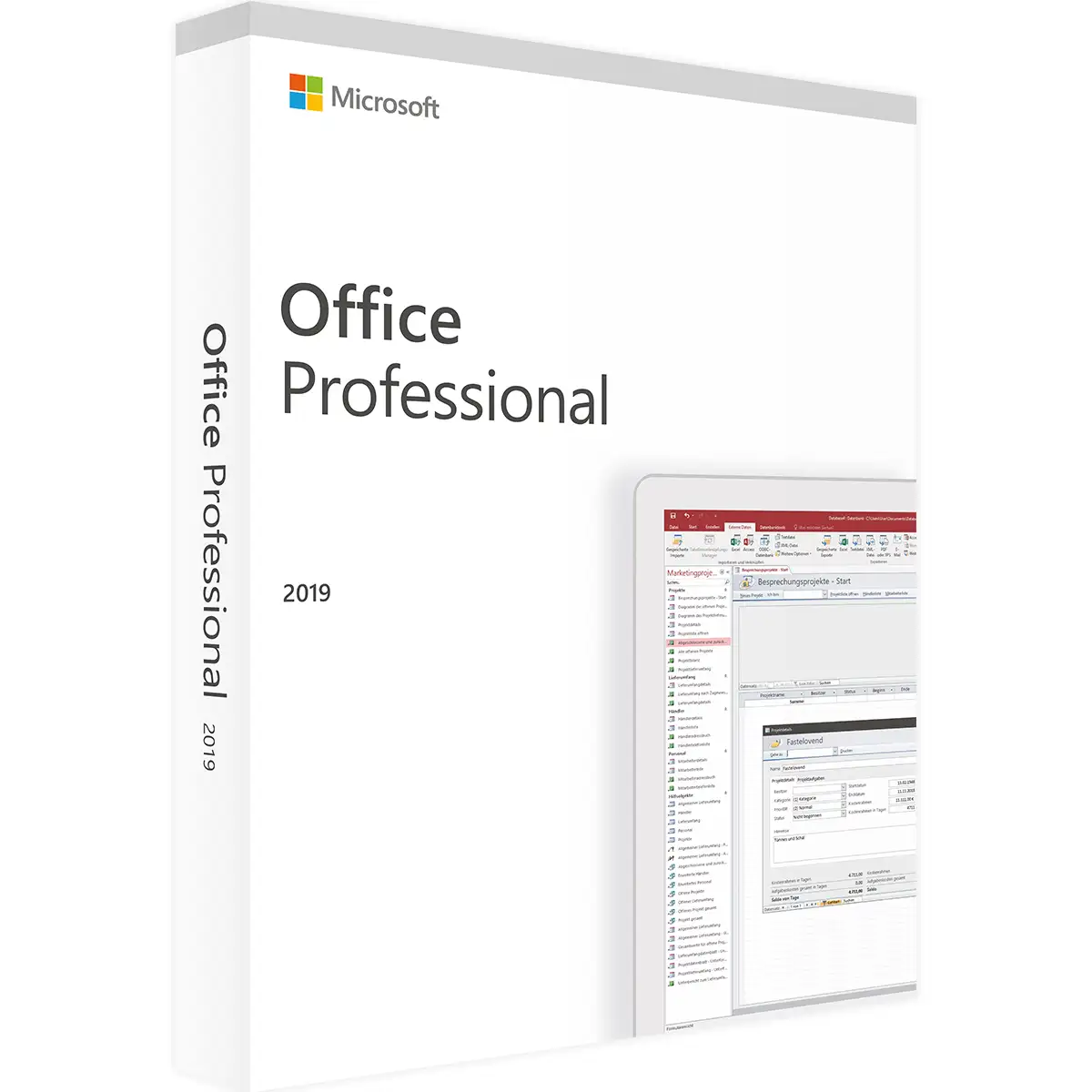
Microsoft Office 2019 Professional for Windows
Office 2019 Professional is the most comprehensive Office 2019 suite in retail: Word, Excel, PowerPoint and Outlook, plus Publisher for print materials and Access for databases. That covers everything from the quote to the customer file to the promotional flyer.
The licence is valid permanently for one Windows PC, may be used for business and is activated with the product key.
Included programs
- Word 2019 for letters, reports and coursework
- Excel 2019 for tables, calculations and charts
- PowerPoint 2019 for presentations
- Outlook 2019 for e-mail, calendar and contacts
- Publisher 2019 for flyers, brochures and invitations
- Access 2019 for your own databases
Who is Office 2019 Professional for?
- companies with Access databases for customers or orders
- clubs and agencies that design their own flyers
- the self-employed who want all programs in one licence
- offices with existing Office 2019 templates and macros
What Office 2019 offers
- Excel: new functions such as TEXTJOIN, IFS, SWITCH, MAXIFS and MINIFS, funnel charts and map charts for countries and regions
- Word: Learning Tools with Read Aloud and adjustable line spacing, built-in translator
- PowerPoint: Morph transition, Zoom for non-linear presentations, 3D models and SVG icons
- Outlook: Focused Inbox, @mentions in e-mails, Office 365 Groups
- all programs: improved inking with a pen selection that is remembered across all programs
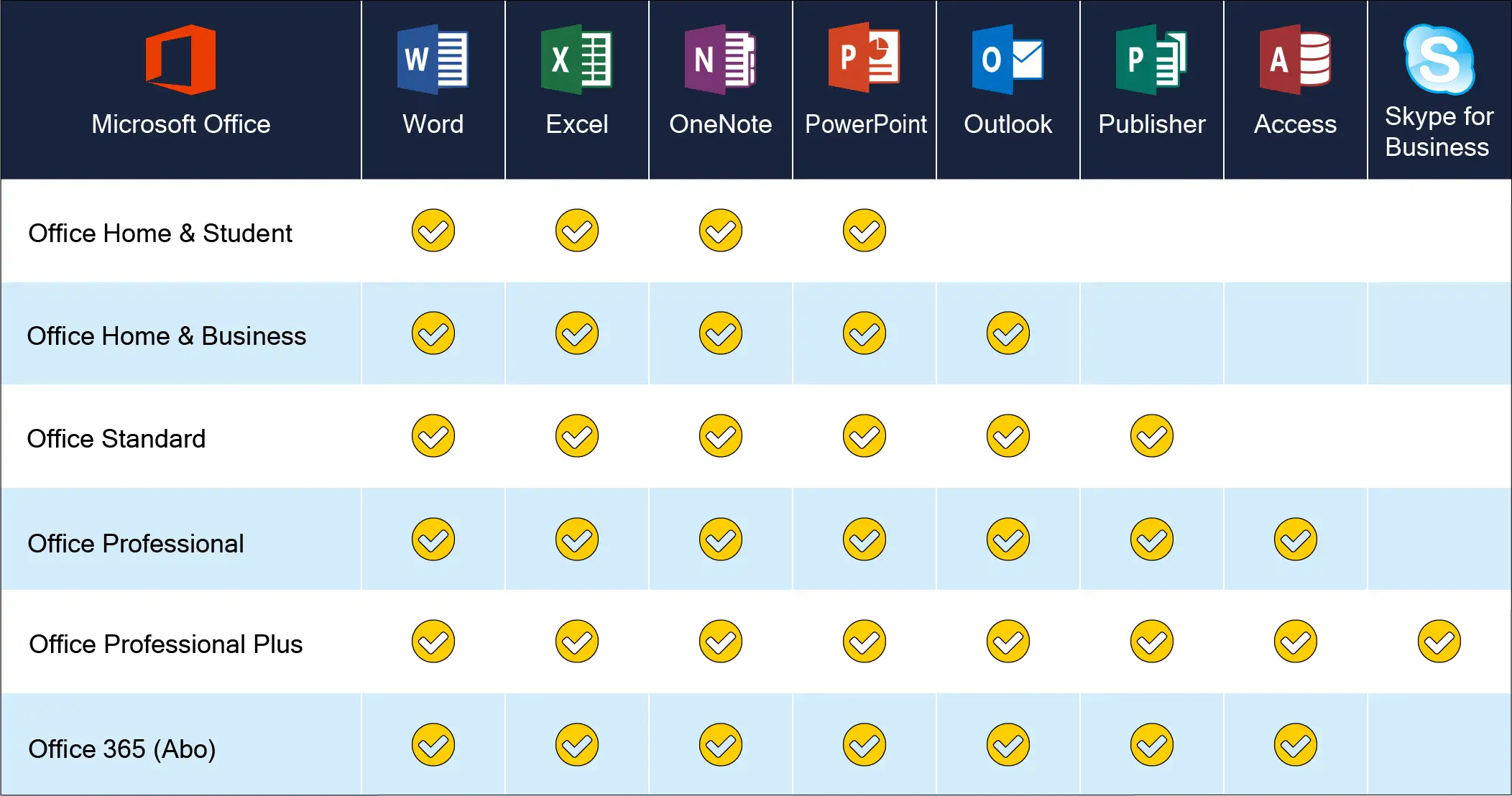
Which edition is right for you?
| Professional (this item) | all programs including Publisher and Access |
| Office 2019 Professional Plus | same scope, for companies |
| Office 2019 Home & Business | without Publisher and Access |
| Office 2019 Standard | with Publisher, without Access |
You will find all editions in the Microsoft Office 2019 category.
Publisher and Access in practice
With Publisher you design flyers, business cards or the club newsletter from ready-made templates and export the result as a PDF for the print shop. Access manages customers, orders or members in linked tables; forms make data entry easier, and reports deliver lists and labels. Both programs work closely with Word, Excel and Outlook.
Office 2019 or a newer version?
Office 2019 is a proven perpetual licence and has been the standard for years in many companies, schools and clubs. If you work with colleagues or customers who use Office 2019, you get the same interface, the same menus and the same features. On top of that, Office 2019 Professional is the most affordable way to get a full Microsoft Office without a subscription.
If you need features such as XLOOKUP or dynamic arrays in Excel, choose Office 2021 or Office 2024. The file formats are the same in all three versions, so documents can be exchanged without any problems.
Buy once instead of subscribing
Microsoft 365 costs money every year. Office 2019, by contrast, you pay for once, and the programs stay on your computer permanently. For many users who mainly write letters, maintain spreadsheets and create presentations, this is the most economical solution – especially when several devices need to be equipped. You save your files as usual locally, on the network or with a cloud provider of your choice.
System requirements
- Operating system: Windows 11 or Windows 10. For new computers we recommend Windows 11 Pro
- Processor: 1.6 GHz or faster, at least 2 cores
- Memory: 4 GB RAM (64-bit), 2 GB RAM (32-bit)
- Hard disk: 4 GB of free space
- Display: resolution of 1280 × 768 or higher
- Graphics: DirectX 10 for hardware acceleration
- Internet: required for download and activation
- Other: some features require .NET 3.5 or 4.6 or later
Installation and activation
- Have the product key and download link from our e-mail ready.
- Download Office using the download link and start the setup. Uninstall older Office versions and trial versions beforehand.
- Open an Office program, for example Word, and enter the product key when prompted.
- Done: the licence is permanently activated. Step-by-step instructions are included with the delivery.
Frequently asked questions
What do I need Access for?
Access is Microsoft’s database. It lets you manage customers, orders, stock or members with your own forms and reports.
What can I do with Publisher?
Publisher is an easy layout program for flyers, brochures, business cards and invitations – with lots of ready-made templates.
Do I need a Microsoft account?
No. Office 2019 is activated online with the product key; a Microsoft account is not needed.
Does Office 2019 run on Windows 11?
Yes, Office 2019 can be installed and used on Windows 11 and Windows 10.
Delivery, invoice and support
- Delivery by e-mail: you will usually receive the product key, download link and installation guide within 5 to 30 minutes of payment (daily 09:00–21:00 CET). More under Shipping & payment.
- Invoice: every order comes with a proper invoice, with your company address on request.
- Origin of the licence: we source our licences from distributors and wholesalers in Europe. We explain exactly how this works on the page Buying legal software.
- Support: if you have questions about installation or activation, we help by e-mail (Mon–Sun 09:00–21:00 CET), phone (Mon–Fri 09:00–14:00 CET), live chat or remote support with TeamViewer.
Our goodwill promise
Should the ordered Office version ever no longer be available, we will supply the next higher version at no extra charge. You never pay more than the price at which you ordered.