
Personal advice
Not sure which version is right? We help private and business customers.

Our advice team
Phone Mon–Fri 9 am to 2 pm, email daily 9 am to 9 pm
- Item number: LI-800109
- Open text field 1: New
- Devices: 1 PC
- Licence term: Permanently valid
- Language: All languages
- Country zone: Worldwide
- Shipping method: E-Mail
- Manufacturer: Microsoft

What's Included
- Instant delivery – Key & download via email
- Exchange possible as long as the key has not been redeemed
- Guide to installation and activation
- Invoice with VAT shown
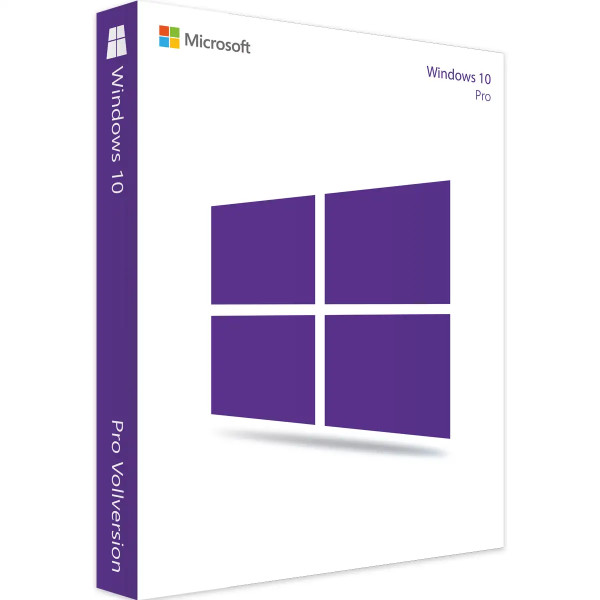
Windows 10 Pro – proven in the office and for professionals
Windows 10 Pro contains everything in Windows 10 Home and adds BitLocker encryption, Remote Desktop, Hyper-V and joining company domains. It has been in use for years in many offices, practices and workshops.
You receive a product key and a download link for installation.
The most important features of Windows 10 Pro
- BitLocker: encryption of hard drives and USB sticks
- Remote Desktop: remote access to this PC
- Hyper-V: virtual machines
- Domain join and Group Policy
- Windows Update for Business
Who is Windows 10 Pro for?
- office PCs that do not support Windows 11
- specialist programs and devices that require Windows 10
- self-employed people and small companies
- computers in a company network with a domain
What makes Windows 10 special
- Familiar Start menu with tiles and classic taskbar
- Also runs on older hardware without TPM 2.0
- Virtual desktops and window snapping
- Microsoft Edge and Windows Defender built in
- Broad compatibility with older programs and devices
Why Windows 10?
Windows 10 also runs on computers that do not meet the requirements of Windows 11 – for example older PCs without TPM 2.0 or with processors that Windows 11 does not support. In addition, some specialist programs, measuring instruments or machine controls explicitly require Windows 10. Many people have been familiar with how it works for years.
Editions compared
| Windows 10 Home | for home use |
| Windows 10 Pro (this item) | BitLocker, Remote Desktop, Hyper-V, domain |
| Windows 10 Pro for Workstations | for high-performance computers |
| Windows 10 Enterprise LTSC 2021 | long-term edition for special devices |
You will find all editions in the category Windows 10.
Well prepared for installation
Before a clean installation, back up your documents, pictures, emails and browser bookmarks to an external drive or the cloud. Note down the login details and licence keys of your programs. If possible, download your PC’s network drivers in advance – so you are back online immediately after installation. Depending on the computer, a clean installation takes about 20 to 60 minutes.
32 or 64 bit?
On computers with more than 4 GB of memory you should install the 64-bit version so that all the memory is used. The 32-bit version only makes sense for very old computers or special older programs. You select the right variant when creating the installation medium.
After installation
- Install drivers for graphics, chipset, network and printer from the manufacturer’s website
- Set up virus protection – Microsoft Defender is already active
- Create user accounts and use an account without administrator rights for everyday use
- Set up a regular backup
System requirements
- Processor: 1 GHz or faster
- Memory: 1 GB (32-bit) or 2 GB RAM (64-bit)
- Storage: 32 GB of free space
- Graphics: DirectX 9 or later with WDDM 1.0 driver
- Display: resolution of 800 × 600 or higher
- Internet: for setup and activation
Installation and activation
- Prepare the installation medium: use the download link from our email and create a USB stick (at least 8 GB) or an ISO file.
- Boot from the USB stick and follow the installation.
- Enter the product key when prompted, or later under “Settings” → “Update & Security” → “Activation”.
- After setup, install your PC’s drivers.
Frequently asked questions
Shouldn’t I go straight for Windows 11?
If your PC meets the requirements (TPM 2.0, Secure Boot, supported processor), we recommend Windows 11 Pro or Windows 11 Home. Windows 10 is the choice for computers on which Windows 11 does not run, or for programs that require Windows 10.
Can I switch from Home to Pro?
Yes. Under “Settings” → “Update & Security” → “Activation” you enter the Pro key; programs and files are kept.
Is Windows 10 Pro available for several PCs?
Yes, as a Windows 10 Pro volume licence from three devices.
How is Windows activated?
With the product key you receive by email after purchase. Our support team will help with any questions about activation.
Will I receive an invoice?
Yes, you receive a proper invoice by e-mail with every order, with your company address on request.
In which language is Windows installed?
You can install Windows in English or in another language of your choice. You select the language when creating the installation medium.
Is the key suitable for a clean installation?
Yes. With the key supplied and the download link you can reinstall Windows or activate an already installed version of the same edition.
Delivery, invoice and support
- Delivery by e-mail: you will usually receive the product key, download link and installation guide within 5 to 30 minutes of payment (daily 09:00–21:00 CET). More under Shipping & payment.
- Invoice: every order comes with a proper invoice, with your company address on request.
- Origin of the licence: we source our licences from distributors and wholesalers in Europe. We explain exactly how this works on the page Buying legal software.
- Support: if you have questions about installation or activation, we help by e-mail (Mon–Sun 09:00–21:00 CET), phone (Mon–Fri 09:00–14:00 CET), live chat or remote support with TeamViewer.
Our goodwill promise
If the Windows version or edition you ordered is ever no longer available, we will supply the next higher version or edition at no extra charge. You never pay more than the price at which you ordered.



