Welcome to Lizenzindustrie!

Subscribe to our free newsletter and get 10% off your next order (minimum order value €10). That way you won't miss any of our offers.

Please enter a valid email address.

  Personal advice: +971 50 485 8908

  Licence by email, no shipping costs

  Invoice with VAT shown

  14 days free exchange

Windows Server 2012 Essentials

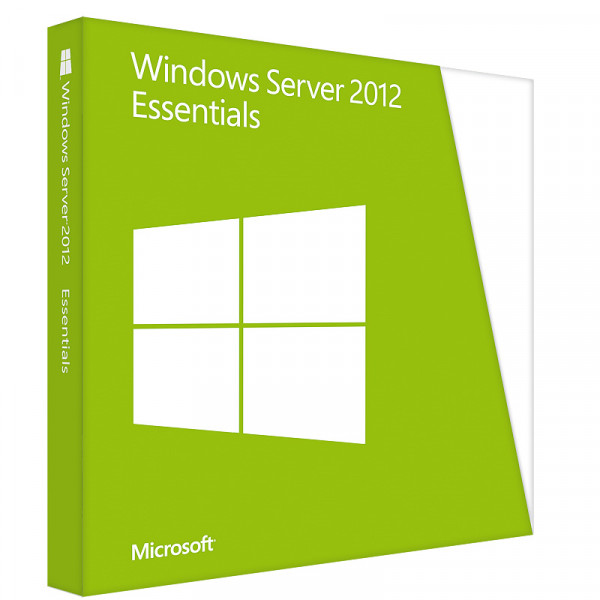
Windows Server 2012 Essentials

Personal advice

Not sure which version is right? We help private and business customers.


berater-bild

Our advice team


Phone Mon–Fri 9 am to 2 pm, email daily 9 am to 9 pm

€39.99 * €89.90 * (55.52% Saved)

Prices incl. VAT Free shipping

Instant download + product key

  • LI-800509
  • 1 device
  • Permanently valid
  • All languages
  • Worldwide
  • E-Mail
  • Microsoft
  • Kreditkarte Rechnung Apple Pay Google Pay

What's Included

  • Instant delivery – Key & download via email
  • Exchange possible as long as the key has not been redeemed
  • Guide to installation and activation
  • Invoice with VAT shown
Windows Server 2012 Essentials – server for small offices Windows Server 2012 Essentials is... more
Product information "Windows Server 2012 Essentials"

Windows Server 2012 Essentials – server for small offices

Windows Server 2012 Essentials is intended for small businesses with up to 25 users and 50 devices and requires no additional client access licences. The dashboard combines user management, client backup and Remote Web Access in a simple interface.

The most important features

  • Up to 25 users and 50 devices without CALs
  • Essentials Dashboard for easy management
  • Automatic backup of client PCs
  • Remote Web Access to files on the go
  • Up to 2 processors

Who is Windows Server 2012 Essentials for?

  • small offices with an existing 2012 environment
  • businesses with older server hardware
  • specialist software that requires Windows Server 2012

Editions compared

2012 Essentials (this item)up to 25 users, without CALs
Windows Server 2012 Standardmore users, with CALs
Windows Server 2025 Essentialscurrent version

You will find more licences in the category Windows Server 2012.

Typical scenarios

  • Central file storage for a small team
  • Sign-in of all PCs via Active Directory
  • Shared printers and scanners in the office
  • Server for industry software in a practice or law firm

Proof of licence and planning

Keep your invoice and licence documents safe – in a software audit they prove that your server is correctly licensed. Also document how many physical cores your servers have and which virtual machines run on them. If you are unsure which licences you need for your environment, we will be happy to advise you before you buy.

Backups in a small office

Your own server is only as good as its backup. Use the built-in Windows Server Backup to set up a daily backup to an external hard drive or a NAS, and keep a second copy off site. Test regularly whether individual files can be restored. That way, customer data, invoices and documents are quickly available again even after a hardware failure.

Virtualising older servers

If a proven application still runs on an old physical server, moving it to a virtual machine on current hardware is often worthwhile. The operating system and application remain unchanged, but the hardware becomes faster, more economical and more reliable. With the right licence, this step is properly covered. Back up the virtual machine regularly so that you can restore it quickly in an emergency.

System requirements

  • Processor: 64-bit processor, 1.4 GHz or faster
  • Memory: 2 GB, 4 GB recommended
  • Hard disk: at least 160 GB
  • Network: Gigabit Ethernet adapter

Installation and activation

  1. Download the installation file (ISO) via the link in our email.
  2. Create a bootable USB stick or mount the ISO in the hypervisor or via the server’s remote management.
  3. Choose the edition (with or without Desktop Experience) and install Windows Server.
  4. Activate with the product key supplied and set up roles such as Active Directory, file server or Hyper-V.

Frequently asked questions

Do I need CALs?

No, up to 25 users and 50 devices are covered without additional client access licences.

Why Windows Server 2012 Essentials?

When specialist software or existing hardware requires exactly this version. For new installations we recommend Windows Server 2025 Essentials.

How is the server activated?

With the product key you receive by email after purchase. Our support team will help with any questions about activation.

Will I receive an invoice?

Yes, you receive a proper invoice with VAT shown for every order, with your company address on request.

What happens if we grow beyond 25 users?

Then you switch to Windows Server Standard and purchase the appropriate CALs.

Can I use client backup?

Yes. The Essentials Dashboard backs up the connected PCs automatically and restores individual files or entire computers.

Is there Remote Web Access?

Yes, you set up access to shared folders via browser in the dashboard.

Delivery, invoice and support

  • Delivery by e-mail: you will usually receive the product key, download link and installation guide within 5 to 30 minutes of payment (daily 09:00–21:00 CET). More under Shipping & payment.
  • Invoice: every order comes with a proper invoice, with your company address on request.
  • Origin of the licence: we source our licences from distributors and wholesalers in Europe. We explain exactly how this works on the page Buying legal software.
  • Support: if you have questions about installation or activation, we help by e-mail (Mon–Sun 09:00–21:00 CET), phone (Mon–Fri 09:00–14:00 CET), live chat or remote support with TeamViewer.

Our goodwill promise

If the server version or edition you ordered is ever no longer available, we will supply the next higher version or edition with the same number of cores at no extra charge. You never pay more than the price at which you ordered.

Related links to "Windows Server 2012 Essentials"




