Welcome to Lizenzindustrie!

Subscribe to our free newsletter and get 10% off your next order (minimum order value €10). That way you won't miss any of our offers.

Please enter a valid email address.

  Personal advice: +971 50 485 8908

  Licence by email, no shipping costs

  Invoice with VAT shown

  14 days free exchange

Microsoft Office 2021 Home and Student | Windows | Account bound

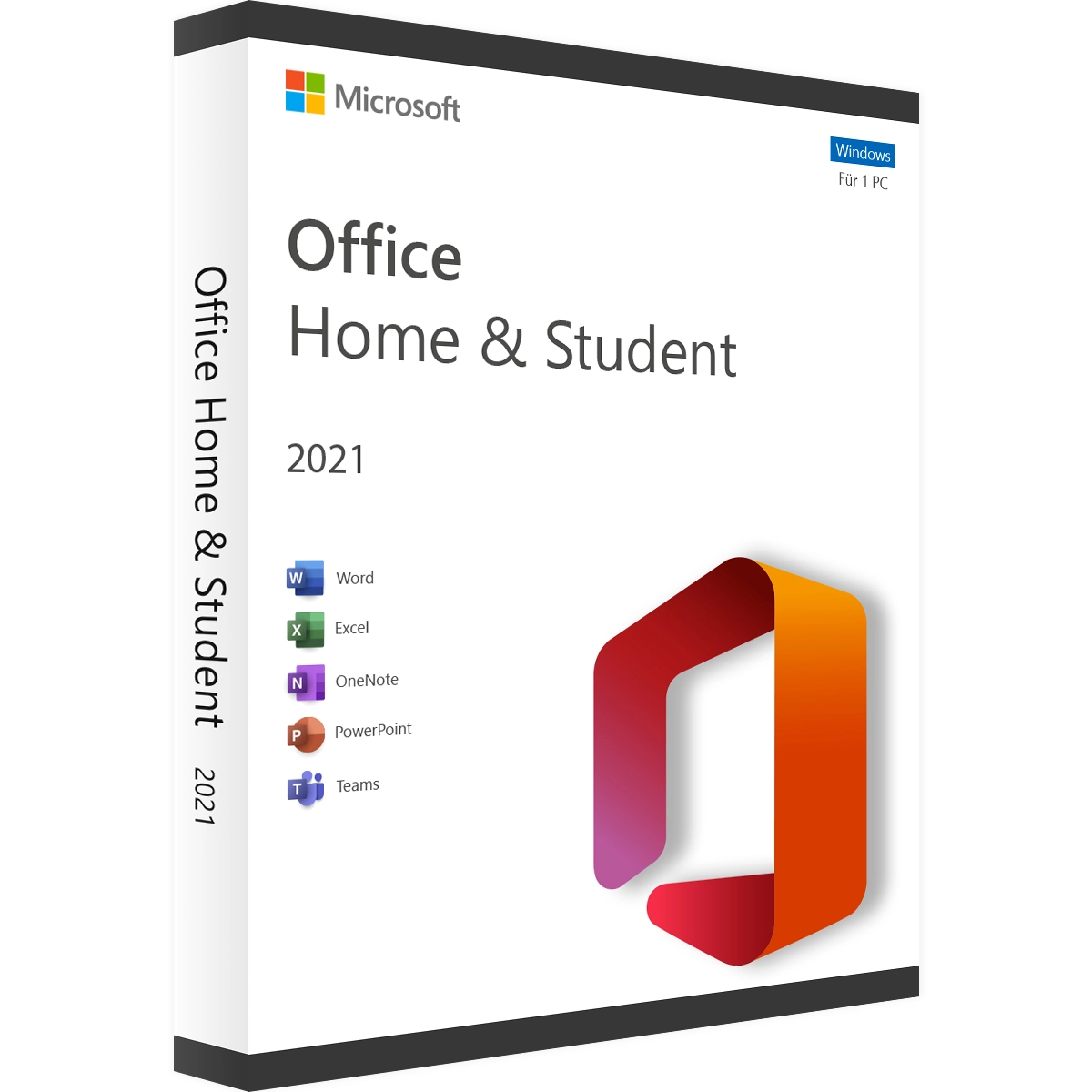
Microsoft Office 2021 Home and Student | Windows | Account bound
   

Personal advice

Not sure which version is right? We help private and business customers.


berater-bild

Our advice team


Phone Mon–Fri 9 am to 2 pm, email daily 9 am to 9 pm

€99.90 * €259.90 * (61.56% Saved)

Prices incl. VAT Free shipping

Instant download + product key

  • LI-800294
  • 1 PC
  • Permanently valid
  • All languages
  • Worldwide
  • E-Mail
  • Microsoft
  • Kreditkarte Rechnung Apple Pay Google Pay

What's Included

  • Instant delivery – Key & download via email
  • Exchange possible as long as the key has not been redeemed
  • Guide to installation and activation
  • Invoice with VAT shown
Office 2021 Home & Student – account-bound for Windows With this edition of Office 2021 Home &... more
Product information "Microsoft Office 2021 Home and Student | Windows | Account bound"

Office 2021 Home & Student – account-bound for Windows

With this edition of Office 2021 Home & Student, the licence is linked to your Microsoft account when redeemed. You get Word, Excel, PowerPoint and OneNote permanently for one Windows PC and can find the download in your account at any time – handy after reinstalling Windows or when switching to a new computer.

Home & Student is intended for private, non-commercial use.

Included programs

  • Word 2021 for letters, reports and coursework
  • Excel 2021 for tables, calculations and charts
  • PowerPoint 2021 for presentations
  • OneNote for notes and lecture notes

Who is Office 2021 Home & Student (account-bound) for?

  • families who manage their licences centrally in a Microsoft account
  • pupils and students with a laptop
  • home users who reinstall Windows frequently

What Office 2021 offers

  • Excel: XLOOKUP and XMATCH replace VLOOKUP and HLOOKUP, dynamic arrays with UNIQUE, FILTER, SORT and SEQUENCE return entire result lists, and LET lets you name intermediate results in formulas
  • Word: Line Focus for concentrated reading, dark mode for the document page too, improved translation feature
  • PowerPoint: record slide shows with ink annotations and camera image, replay ink drawings afterwards
  • Outlook: instant search across all mailboxes, translate e-mails directly in the reading pane
  • all programs: modern interface with rounded tabs, support for OpenDocument 1.3 and co-authoring of files in OneDrive or SharePoint

Account-bound or without an account?

Account-bound (this item)licence in your Microsoft account, download via the account
Office 2021 Home & Studentactivation with a key, no account
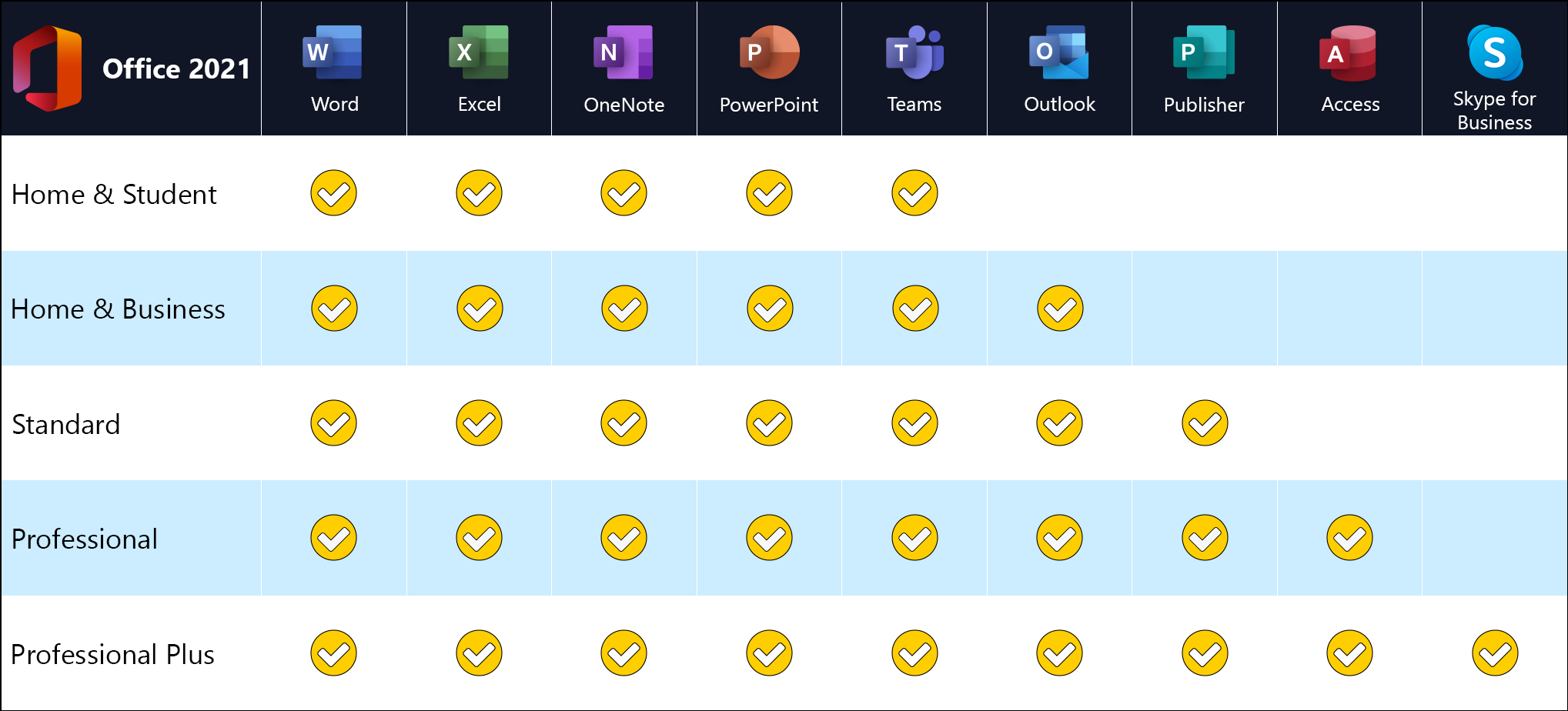
Home & Business (account-bound)plus Outlook, also for business use

You will find all editions in the Microsoft Office 2021 category.

Tips for managing the licence in your Microsoft account

Redeem the key with the account you will use privately in the long term, for example for Outlook.com or your smartphone. In your Microsoft account, under “Services & subscriptions”, you can see at any time which Office licence is linked and start the download from there. Protect the account with two-step verification so that only you have access to the account and licence.

Office 2021 or Office 2024?

Both versions are perpetual licences without a subscription. Office 2021 has been in use for years, is mature and is the common standard in many offices, schools and public authorities. If you work with colleagues or customers who also use Office 2021, you get the same interface and the same features. On top of that, Office 2021 Home & Student (account-bound) costs less than its successor.

If you want the latest features, such as the new text functions in Excel or Cameo in PowerPoint, choose Office Home 2024. For everyday letters, spreadsheets, presentations and e-mails, Office 2021 offers everything you need, and files are fully interchangeable between both versions.

Buy once instead of subscribing

Microsoft 365 costs money every year and in return provides cloud storage and a steady stream of new features. You pay for Office 2021 once; the programs stay on your computer permanently and continue to receive security and quality updates via the Office update function. If you don’t need cloud extras and store your files on your own PC, on the network or with a cloud provider of your choice anyway, the perpetual licence saves you a considerable amount over the years.

System requirements

  • Operating system: Windows 11 or Windows 10. For new computers we recommend Windows 11 Pro
  • Processor: 1.1 GHz or faster, at least 2 cores
  • Memory: 4 GB RAM
  • Hard disk: 4 GB of free space
  • Display: resolution of 1280 × 768 or higher
  • Graphics: DirectX 9 or later, with WDDM 2.0 driver on Windows 10
  • Internet: required for download, activation and updates
  • Other: some features require .NET 3.5 or 4.6 or later
  • Account: free Microsoft account for activation

Redeeming and installing

  1. Go to setup.office.com and sign in with your Microsoft account (or create one free of charge).
  2. Enter the product key from our e-mail. This permanently links the licence to your account.
  3. Download and install Office from the “Services & subscriptions” section of your Microsoft account.
  4. Sign in to Word, Excel or another program with the same account – done.

Frequently asked questions about Office 2021 Home & Student (account-bound)

Do I really need a Microsoft account?

Yes. With this edition the licence is bound to your Microsoft account when redeemed. If you would rather activate without an account, choose the edition without the “account-bound” label.

Can I transfer the licence to another account?

No. After redemption the licence remains permanently linked to the account used.

How do I move to a new PC?

Sign in at account.microsoft.com on the new PC, download Office under “Services & subscriptions” and install it. The licence is recognised automatically.

Delivery, invoice and support

  • Delivery by e-mail: you will usually receive the product key and instructions for redeeming it with Microsoft within 5 to 30 minutes of payment (daily 09:00–21:00 CET). More under Shipping & payment.
  • Invoice: every order comes with a proper invoice, with your company address on request.
  • Origin of the licence: we source our licences from distributors and wholesalers in Europe. We explain exactly how this works on the page Buying legal software.
  • Support: if you have questions about installation or activation, we help by e-mail (Mon–Sun 09:00–21:00 CET), phone (Mon–Fri 09:00–14:00 CET), live chat or remote support with TeamViewer.

Our goodwill promise

Should the ordered Office version ever no longer be available, we will supply the next higher version at no extra charge. You never pay more than the price at which you ordered.

Related links to "Microsoft Office 2021 Home and Student | Windows | Account bound"




