Personal advice
Not sure which version is right? We help private and business customers.

Our advice team
Phone Mon–Fri 9 am to 2 pm, email daily 9 am to 9 pm
- Item number: LI-801258
- Devices: Unlimited PCs
- Licence term: Permanently valid
- Language: All languages
- Country zone: Worldwide
- Shipping method: E-Mail
- Manufacturer: AOMEI

What's Included
- Instant delivery – Key & download via email
- Exchange possible as long as the key has not been redeemed
- Guide to installation and activation
- Invoice with VAT shown
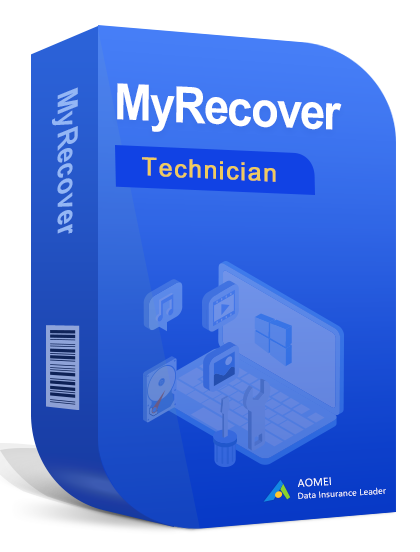
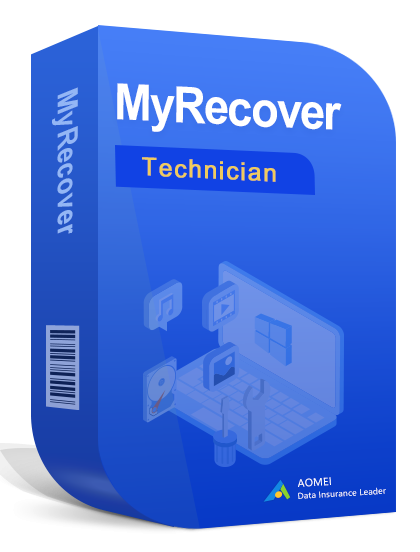
AOMEI MyRecover Technician
AOMEI MyRecover recovers deleted or lost files from hard drives, SSDs, USB sticks and memory cards.
You receive a perpetual licence for one device – buy once, no subscription. According to the manufacturer, lifetime upgrades to new major versions are included. The program runs on Windows. We send you the licence key and download link by email.
What’s included in AOMEI MyRecover Technician
- Recovery of deleted files
- Supports many file types
- Quick scan and deep scan
- Preview before recovery
- Support for various drives
- Easy to use
Available option: unlimited PCs.
Who is AOMEI MyRecover Technician for?
- Anyone who has deleted files by mistake
- Photographers
- Offices
- IT service providers (Technician)
At a glance
| Manufacturer | AOMEI |
| Licence | Perpetual licence for 1 device, no subscription |
| Platform | Windows |
| Delivery | Licence key and download by e-mail |
Other editions
| AOMEI MyRecover Professional | Recover deleted files |
You will find more programs in the Backup and data protection category.
About the manufacturer
AOMEI develops tools for backup, partitioning and data recovery on Windows. Its programs are used worldwide and known for their clear, straightforward interface.
Why backup and data recovery matter
Hard drives fail without warning, ransomware encrypts files, and one wrong click deletes important folders. If you back up regularly and have a recovery tool to hand in an emergency, you will not lose photos, documents or hours of work. The 3-2-1 rule is key: three copies, on two different storage media, with one copy kept off site.
An example from practice
After a USB stick was formatted by mistake, the program finds the presentation and restores it.
What to look out for when buying
- Check that your system meets the requirements.
- Older versions are cheaper and sufficient for many tasks; newer ones add extra features.
- The licence covers one device unless you select otherwise on this page.
- All programs are supplied as a download.
- If you have any questions before buying, we are happy to advise you by e-mail, phone or live chat.
System requirements
- Operating system: Windows 10 or Windows 11
- Memory: at least 4 GB recommended
- Hard disk: from a few hundred MB to several GB, depending on the program
- Internet: required for download and activation
The exact requirements are listed on the manufacturer’s website.
Tips for getting started
- When you first start the program, take a few minutes for the manufacturer’s introduction or help.
- Try out new features on a copy of your files first.
- Make a backup before any major changes.
- Keep your licence key and invoice in a safe place, for example for a later reinstallation.
Installation and activation
- Download the program via the link in our email.
- Start the installation and follow the wizard.
- Enter the licence key when the program asks for it – with some manufacturers you sign in to a free customer account to do this.
- Done – AOMEI MyRecover Technician is ready to use.
Frequently asked questions
Is this a subscription?
No. You buy a perpetual licence and use the program with no ongoing costs.
Does the program run on a Mac?
No, this edition is for Windows.
Can I transfer the licence to a new PC?
As a rule, yes: uninstall or deactivate the program on the old device and activate it on the new one. The details are set by the manufacturer.
Do I need a customer account with the manufacturer?
That depends on the manufacturer. If an account is required, it is free of charge; the instructions in our email take you through every step.
Which languages does the program support?
The interface is available in German. Which other languages are included depends on the product and version – feel free to ask us before you buy.
Can I exchange the licence?
Yes, as long as the product key has not yet been redeemed or activated. Simply send us an e-mail.
Will I receive an invoice?
Yes, with VAT shown, with your company address on request.
Delivery, invoice and support
- Delivery by e-mail: you will usually receive the licence key, download link and instructions within 5 to 30 minutes of payment (daily 09:00–21:00 CET). More under Shipping & payment.
- Invoice: every order comes with a proper invoice, with your company address on request.
- Origin of the licence: we source our licences from distributors and wholesalers in Europe. We explain exactly how this works on the page Buying legal software.
- Support: if you have questions about installation or activation, we help by e-mail (Mon–Sun 09:00–21:00 CET), phone (Mon–Fri 09:00–14:00 CET), live chat or remote support with TeamViewer.
Our goodwill promise
If the version you ordered is ever no longer available, we will supply the next higher version or edition at no extra charge. You never pay more than the price at which you ordered.