Personal advice
Not sure which version is right? We help private and business customers.

Our advice team
Phone Mon–Fri 9 am to 2 pm, email daily 9 am to 9 pm
- Item number: LI-800342
- Devices: 1 PC
- Licence term: Permanently valid
- Language: All languages
- Country zone: Worldwide
- Shipping method: E-Mail
- Manufacturer: Microsoft

What's Included
- Instant delivery – Key & download via email
- Exchange possible as long as the key has not been redeemed
- Guide to installation and activation
- Invoice with VAT shown
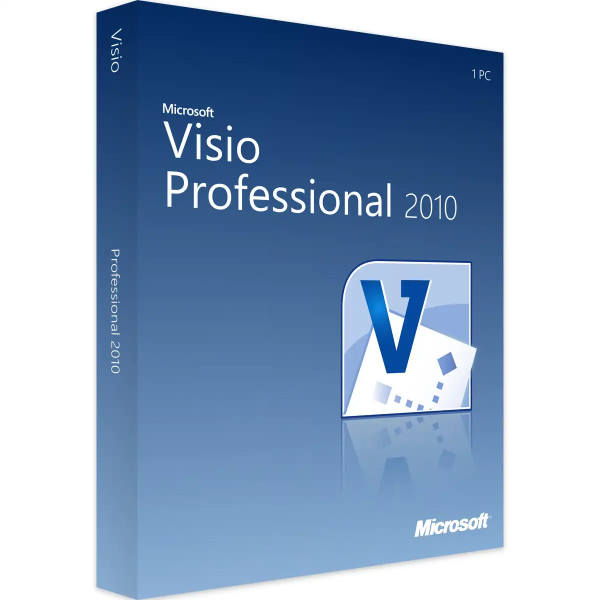
Microsoft Visio 2010 Professional for Windows
With Visio 2010 Professional you create flowcharts, organisation charts, network plans, floor plans and process flows – clean, consistent and without drawing skills. You drag ready-made shapes from stencils onto the page, connectors align automatically, and themes ensure a coherent look. The Professional edition adds technical templates, linking shapes to live data and further stencils for software, databases and engineering.
You receive a perpetual licence for one Windows PC. You activate it with the product key; no Microsoft account is needed. Visio is a standalone program and does not require Office to be installed.
The key facts at a glance
- Perpetual licence for one Windows PC, no subscription
- Activation with product key, without a Microsoft account
- All Standard templates plus technical stencils, data linking and team features
- Export as PDF, image or web page; insert into Word, Excel and PowerPoint
- Commercial use permitted
- Product key and download by e-mail, with invoice
What you create with Visio 2010 Professional
- Detailed network and rack diagrams for IT
- Database models, UML and software diagrams
- Floor plans, electrical and building services plans
- Process diagrams according to BPMN
- Dashboards whose shapes are coloured with data from Excel or SQL Server
New in Visio 2010
- Ribbon as in Office 2010 – commands are quicker to find
- Containers and legends to group related shapes
- Live preview of themes and formatting
- Automatic page size that grows with the diagram
- Subprocesses to split large processes across several pages
Why Visio 2010?
Visio 2010 is lean, also runs on older hardware and opens the classic .vsd files. For departments that continue to work with existing drawings and templates, it is an affordable and proven solution.
Visio Standard or Professional?
| Standard | office templates: flowcharts, organisation charts, timelines, simple plans |
| Professional | additional technical stencils (software, database, engineering, detailed network) |
| Linking data | Professional only: connect shapes to Excel, SQL Server or SharePoint lists |
| Collaboration | Professional: provide diagrams in the browser via SharePoint (Visio Services) |
| Licence | both editions as a perpetual licence for one Windows PC |
If the office templates are enough for you, Visio 2010 Standard is the cheaper choice. You will find all editions in the category Visio 2010.
Typical scenarios
- Quality management: presenting processes according to ISO 9001 clearly
- HR department: keeping organisation charts up to date and distributing them as PDF
- IT department: documenting networks, servers and cabling
- Facility management: office and space plans with furniture and workstations
- Project management: showing processes and responsibilities in presentations
An example from practice
A medium-sized company wants to present its order processing for the quality manual. Using the “Cross-functional flowchart” template, the quality officer creates a lane for each department, drags the steps in as shapes and connects them. After an hour there is a clear process that goes into the manual as a PDF and can be adapted in minutes when changes occur.
System requirements
- Operating system: Windows 7 or later (32 or 64-bit)
- Processor: 500 MHz or faster
- Memory: at least 512 MB, 1 GB recommended
- Hard disk: approx. 3 GB of free space
- Screen: resolution from 1024 × 768
- Office: not required – Visio runs standalone
Installation and activation
- Have the product key and download link from our e-mail ready.
- Download Visio and start setup.
- Open Visio and enter the product key when prompted.
- Done – Visio is permanently activated; no Microsoft account is needed.
Frequently asked questions about Visio 2010 Professional
Do I need a Microsoft account?
No. You activate Visio with the product key; a Microsoft account is not required.
Do I need Office to use Visio?
No. Visio is a standalone program. It does, however, work well with Word, Excel and PowerPoint.
Can I use Visio for business?
Yes, Visio 2010 Professional may also be used professionally and commercially.
Does Visio 2010 open files from other versions?
Visio 2010 opens and saves .vsd files. Files in the newer .vsdx format from Visio 2013 and later cannot be edited directly with Visio 2010; save them there as .vsd.
Is there Visio for Mac?
No, Microsoft only offers Visio for Windows.
Can I exchange the licence?
Yes, as long as the product key has not yet been redeemed or activated. Simply send us an e-mail.
Will I receive an invoice?
Yes, with VAT shown, with your company address on request.
Delivery, invoice and support
- Delivery by e-mail: you will usually receive the product key, download link and installation guide within 5 to 30 minutes of payment (daily 09:00–21:00 CET). More under Shipping & payment.
- Invoice: every order comes with a proper invoice, with your company address on request.
- Origin of the licence: we source our licences from distributors and wholesalers in Europe. We explain exactly how this works on the page Buying legal software.
- Support: if you have questions about installation or activation, we help by e-mail (Mon–Sun 09:00–21:00 CET), phone (Mon–Fri 09:00–14:00 CET), live chat or remote support with TeamViewer.
Our goodwill promise
If the Visio version you ordered is ever no longer available, we will supply the next higher version or edition at no extra charge. You never pay more than the price at which you ordered.