Welcome to Lizenzindustrie!

Subscribe to our free newsletter and get 10% off your next order (minimum order value €10). That way you won't miss any of our offers.

Please enter a valid email address.

  Personal advice: +971 50 485 8908

  Licence by email, no shipping costs

  Invoice with VAT shown

  14 days free exchange

Microsoft Office 2024 Professional Plus | for Windows | 1–5 users

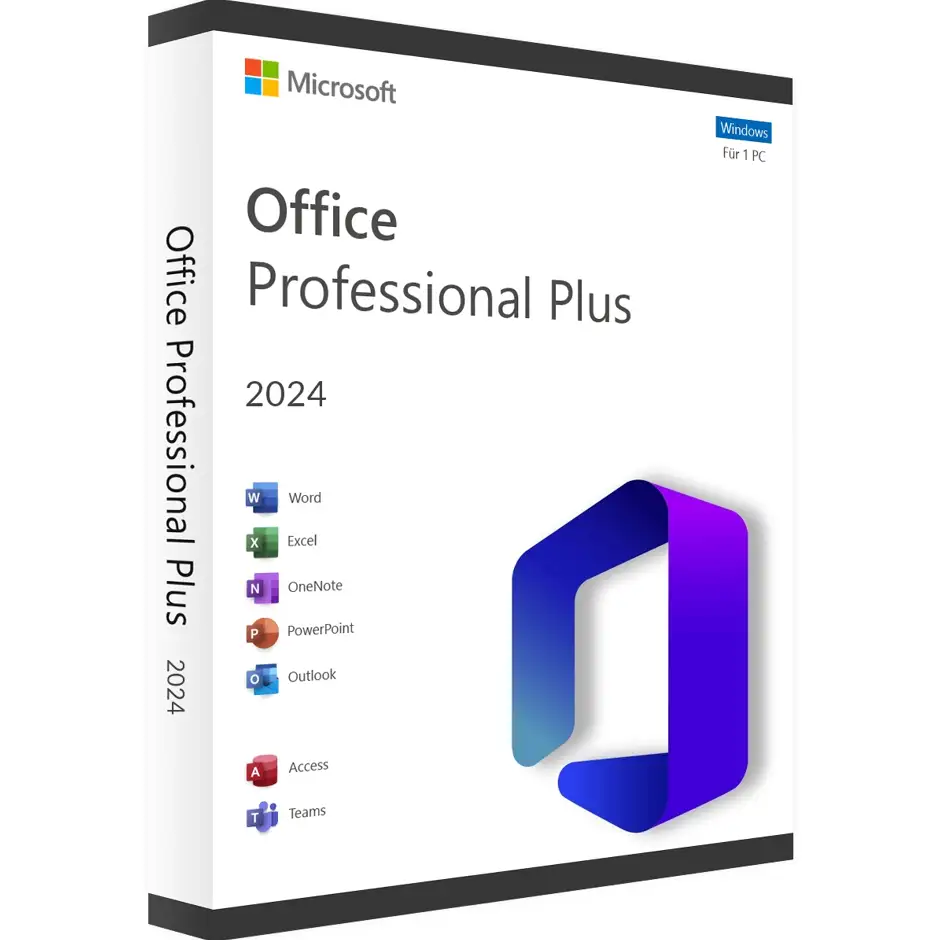
Microsoft Office 2024 Professional Plus | for Windows | 1–5 users
     

Personal advice

Not sure which version is right? We help private and business customers.


berater-bild

Our advice team


Phone Mon–Fri 9 am to 2 pm, email daily 9 am to 9 pm

€149.90 * €319.99 * (53.15% Saved)

Prices incl. VAT Free shipping

Instant download + product key

Aktivierungsanzahl wählen

  • LI-800305
  • Depending on your choice
  • Valid indefinitely
  • All languages
  • Weltweit
  • E-Mail
  • Microsoft
  • Kreditkarte Rechnung Apple Pay Google Pay

What's Included

  • Instant delivery – Key & download via email
  • Exchange possible as long as the key has not been redeemed
  • Guide to installation and activation
  • Invoice with VAT shown
Office 2024 Professional Plus for 1–5 users – several workstations in one order Are you... more
Product information "Microsoft Office 2024 Professional Plus | for Windows | 1–5 users"

Office 2024 Professional Plus for 1–5 users – several workstations in one order

Are you setting up a small office, equipping the family home office or replacing an older Office version on several computers? With this item you choose directly when buying how many users or devices you need Office 2024 Professional Plus for – from one to five. You receive exactly the selected number of licences and activate each device online with the product key.

This saves time when ordering, and all workstations work with the same Office version. As a result, files, templates and macros work the same everywhere.

How the selection works

  1. Select the number you want on this page (1 to 5).
  2. After purchase, you receive the licence for exactly this number of users or devices.
  3. Install Office on each computer and activate it online with the product key.

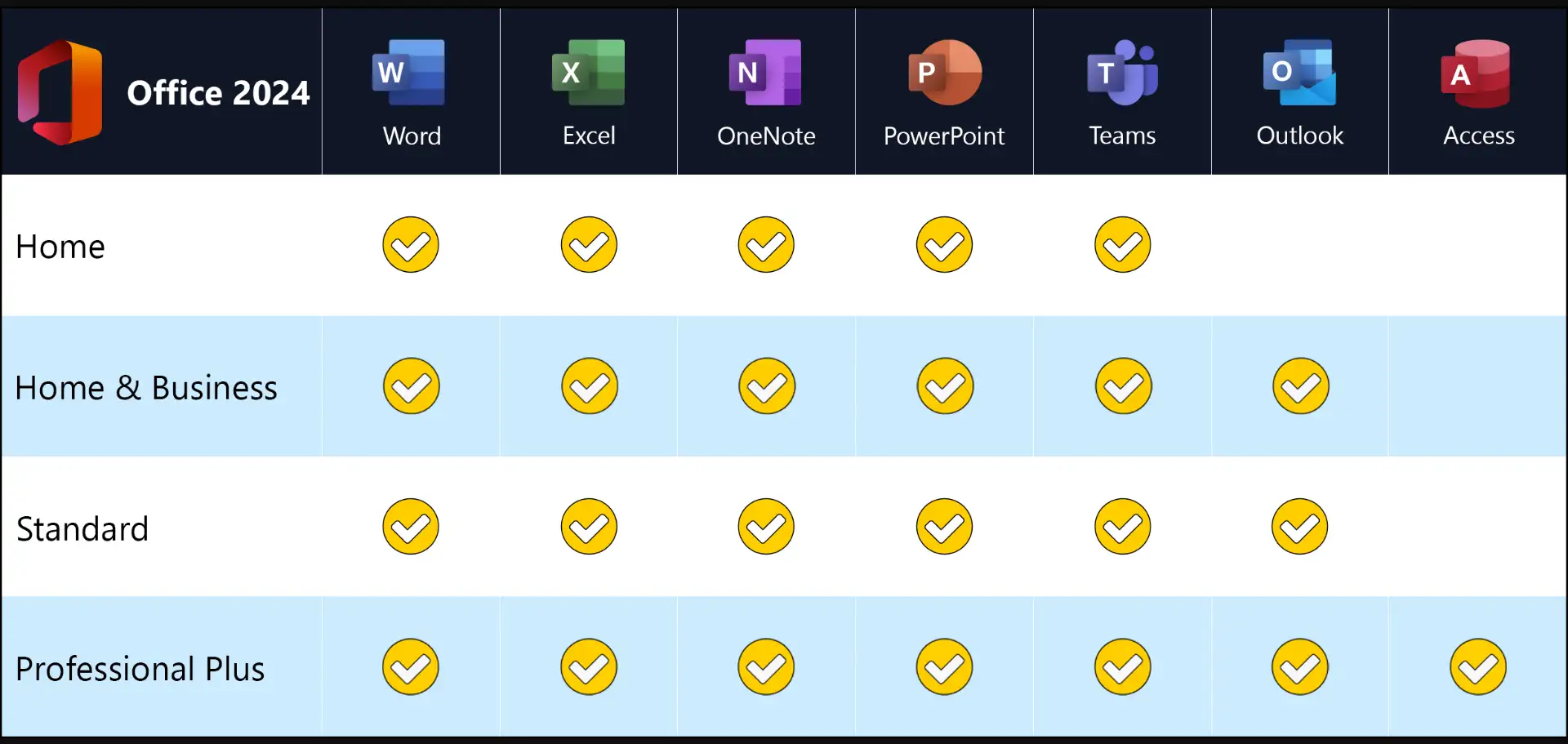
Included programs

  • Word 2024 – texts, reports, contracts and mail merges
  • Excel 2024 – calculations, analyses, pivot tables and charts
  • PowerPoint 2024 – presentations with animations and video export
  • Outlook 2024 – e-mail, calendar, contacts and tasks
  • OneNote – digital notebooks for projects and meetings
  • Access 2024 – your own databases, forms and reports

New in Office 2024

  • Excel: dynamic charts that automatically adapt to array formulas, new text functions such as TEXTSPLIT, TEXTBEFORE and TEXTAFTER, and the IMAGE function for inserting pictures directly into cells
  • PowerPoint: Cameo embeds your live camera feed in the slide, and the Recording Studio makes video presentations with subtitles easier
  • all programs: support for OpenDocument format 1.4, a revised accessibility checker and a design in the style of Windows 11

Which edition is right for you?

1–5 users (this item)several workstations in one order, activation with a key
Office 2024 Professional Plussingle licence for one PC
Office 2024 Professional Plus for terminal serversfor Remote Desktop environments from three licences

You will find further editions under Microsoft Office 2024.

Office 2024 or Microsoft 365?

Microsoft offers Office in two ways today. Microsoft 365 is a subscription: you pay every year and receive new features and cloud storage in OneDrive on an ongoing basis. Office 2024 is a perpetual licence: you pay once, the programs belong permanently to your computer and continue to receive security and quality updates.

For many users the perpetual licence is the more economical choice. If you use Word, Excel and the others every day but do not need cloud features, you save a large part of the subscription costs over the years. The interface also stays the same, which avoids training effort. You can still store your files in OneDrive, Dropbox or on your own server.

Setting up several workstations – the quick way

First decide which key will be used on which computer and note this in a small list. This way you keep track if a device is replaced later. Install Office on all computers in the same language and in the 64-bit version so that templates and macros work the same everywhere.

Shared templates for letters, quotes and presentations are best stored on a network drive or in a shared cloud folder. Then all employees work with the same look.

System requirements

  • Operating system: Windows 11 or Windows 10. For new computers we recommend Windows 11 Pro
  • Processor: 1.1 GHz or faster, at least 2 cores
  • Memory: 4 GB RAM
  • Hard disk: 4 GB of free space
  • Display: resolution of 1280 × 768 or higher (use the 64-bit version for 4K)
  • Graphics: DirectX 9.1 or later with WDDM 1.3 driver for hardware acceleration
  • Internet: required for download, activation and updates
  • Other: some features require .NET 3.5 or 4.6 or later

Installation and activation

  1. Have the product key and download link from our e-mail ready.
  2. Download Office using the download link and start the setup. Uninstall older Office versions and trial versions beforehand.
  3. Open an Office program, for example Word, and enter the product key when prompted.
  4. Done: the licence is permanently activated. Step-by-step instructions are included with the delivery.

Frequently asked questions

Is Access included?

Yes, Professional Plus includes Access 2024 for databases.

Do I need a Microsoft account?

No. Office is activated online with the product key; a Microsoft account is not required.

Can I buy additional seats later?

Yes. Simply order the required number again. The licences can easily be used side by side.

Will I receive an invoice showing VAT?

Yes, after purchase you receive a proper invoice by e-mail that you can book as a business expense.

Delivery, invoice and support

  • Delivery by e-mail: you will usually receive product keys for the selected number and an installation guide within 5 to 30 minutes of payment (daily 09:00–21:00 CET). More under Shipping & payment.
  • Invoice: every order comes with a proper invoice, with your company address on request.
  • Origin of the licence: we source our licences from distributors and wholesalers in Europe. We explain exactly how this works on the page Buying legal software.
  • Support: if you have questions about installation or activation, we help by e-mail (Mon–Sun 09:00–21:00 CET), phone (Mon–Fri 09:00–14:00 CET), live chat or remote support with TeamViewer.

Our goodwill promise

Should the ordered Office version ever no longer be available, we will supply the next higher version at no extra charge. You never pay more than the price at which you ordered.

Related links to "Microsoft Office 2024 Professional Plus | for Windows | 1–5 users"




